People who look photographed
Skin keeps its pores, wrinkles and uneven tone instead of the waxy finish older FLUX versions were known for. Portraits, street style and creator-style shots read as photos.
FLUX.3 · by Black Forest Labs
FLUX is the image model family from Black Forest Labs. The newest, FLUX.3 Image, is known for natural skin and faces, text that comes out as written, and edits that change one thing and leave the rest alone. Describe an image below, or add a photo to edit, and it opens in Image Studio on FLUX.3.

Example image
Opens in Image Studio with the model you picked. You see the price in credits before anything runs.
Skin keeps its pores, wrinkles and uneven tone instead of the waxy finish older FLUX versions were known for. Portraits, street style and creator-style shots read as photos.
Put the exact words in quotes and say where they go. Covers, labels, menus and posters come back spelled right, in several languages; reviewers call typography the biggest jump over earlier FLUX versions.
FLUX.3 Image Edit changes what you name (a jacket, a sign, the background) and leaves the rest of the picture alone, and it takes up to ten reference images.
FLUX.3 Klein is the small, quick version of the same model. Use it to find the picture, then render the keeper on FLUX.3 Image.
Every image below was generated with the prompt shown, unedited. Load any prompt into the generator and make your own version.
Fashion on a personVertical street-style fashion photo: a woman in her late twenties with a cropped platinum bob walks toward the camera across a zebra crossing in Seoul, wearing an oversized camel trench coat over a black turtleneck, wide charcoal trousers and white leather sneakers, a small burgundy shoulder bag. Mid-stride, one hand in her pocket, looking just past the lens. Overcast midday light, shallow depth of field, blurred taxis and pedestrians behind her. Shot on a 50mm lens, natural skin texture, editorial magazine look.
 Text in the image
A vertical magazine cover. Masthead at the top in tall white serif capitals: "NORTHBOUND". Below it, a young Black man with short twists in a rust-colored corduroy jacket stands on a windy coastal cliff, looking into the camera with a calm half-smile. Cover lines on the left in clean sans-serif: "The Slow Travel Issue", "48 hours in the Faroe Islands", "Why we stopped flying". Bottom right a small issue label: "No. 12 · Winter 2026". Natural overcast light, sharp print-quality photograph.
 UGC look
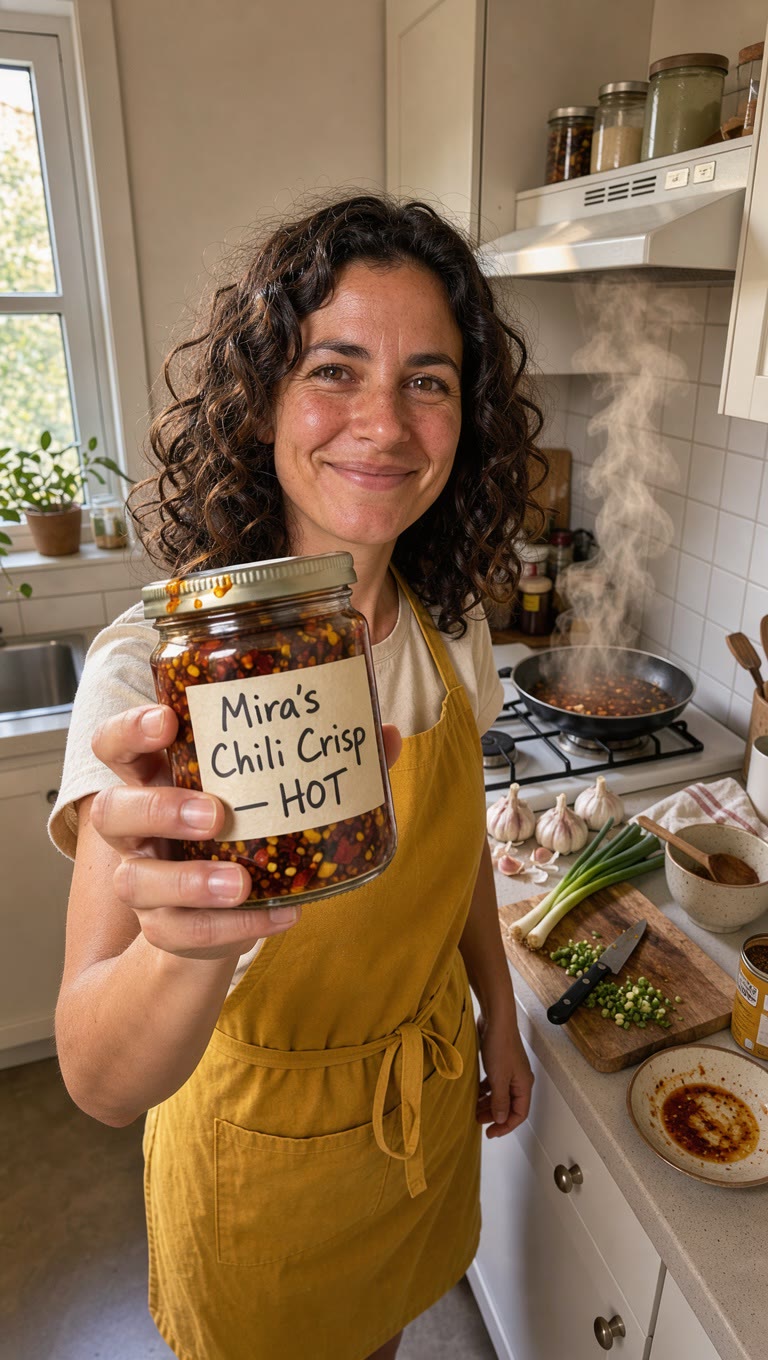
Vertical UGC-style phone photo: a smiling woman in her thirties with curly dark hair, in a mustard apron, holds a glass jar of homemade chili crisp up to the camera in her small apartment kitchen. The hand-written jar label reads "Mira's Chili Crisp — HOT". Steam rises from a pan behind her, warm window light, a little cluttered countertop with garlic, scallions and a wooden spoon. Looks like a real creator's Instagram post, natural skin, slight phone-camera grain.
 Skin and age
Close-up vertical portrait of a fisherman in his seventies on a wooden pier at dawn: deep sun-worn wrinkles, white stubble, salt-dried skin, pale blue eyes squinting slightly, a faded navy knit cap and an oilskin jacket with water droplets on the collar. Soft low golden light from the left, the sea out of focus behind him. 85mm lens, f/2, every pore and hair sharp, true-to-life color, no retouching.
 Frozen motion
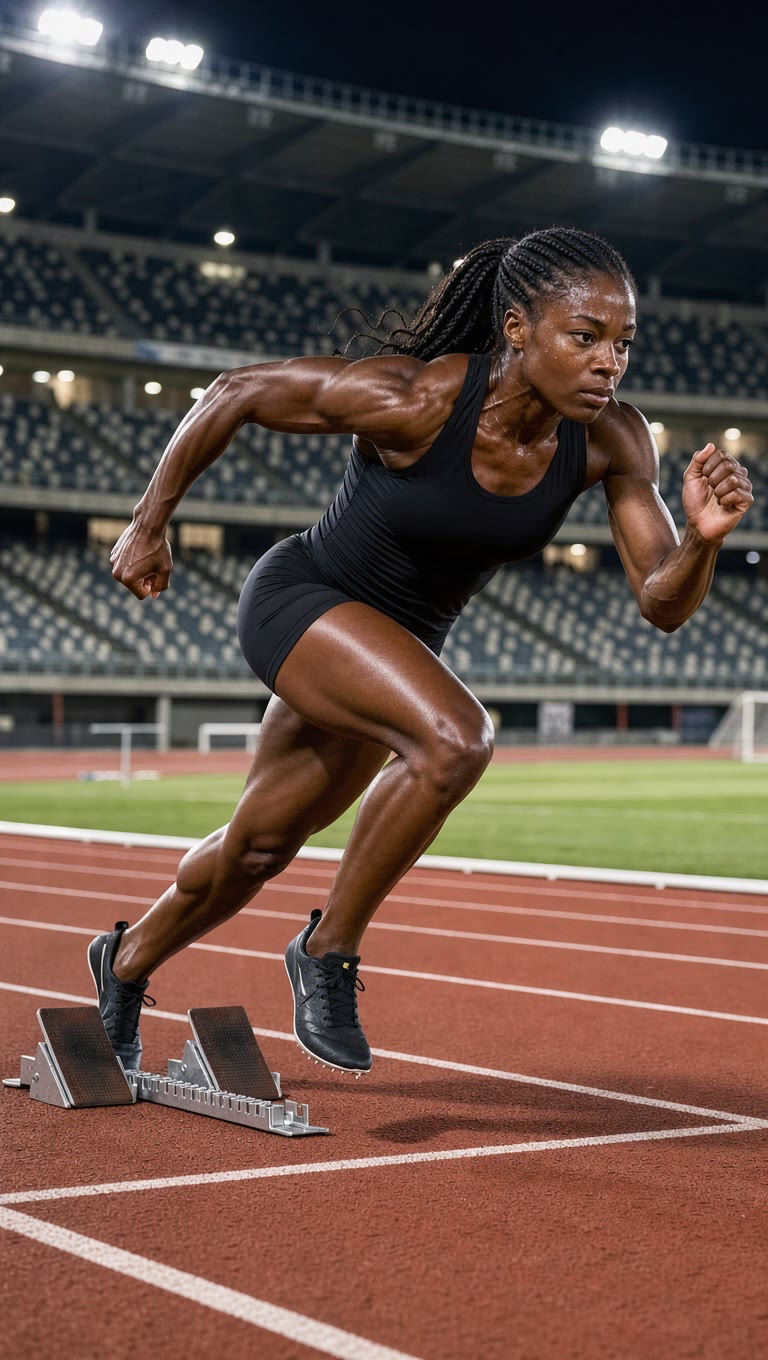
Vertical sports photo: a female sprinter explodes out of the starting blocks on a red running track, low angle from the side, body angled forward, one knee driving up, arms pumping, tension in every muscle, beads of sweat on her temple, determined eyes. Stadium lights and a blurred empty grandstand behind. Frozen motion at 1/4000 s, crisp detail on her plain black spikes and the track's white lane line. Plain unbranded black kit, no logos anywhere.
 Several people at once
Wide candid photo of five friends in their twenties laughing around a small table on a rooftop at golden hour, city skyline behind them. One raises a glass mid-toast, one covers her mouth laughing, one leans back in his chair, one takes a phone photo of the others, one hands a plate of tacos across. Different ethnicities, natural mixed clothing, string lights just switching on. Every face, hand and glass rendered clearly. 35mm documentary style, warm natural light.
 Signs and menus
Square photo inside a small neighborhood café: a tattooed barista with a grey beanie leans on the counter and points at a chalkboard menu behind him, laughing. The chalkboard reads, in neat hand-drawn chalk lettering: "TODAY" on top, then "Oat Flat White 4.5", "Cardamom Bun 3", "Iced Hojicha 5". Morning light, espresso machine steam, real café clutter, candid documentary style.
 Hands
Square close-up: an older couple's hands, both in their eighties, holding each other on a white tablecloth at their grandchild's wedding. Thin wrinkled skin, visible veins, her pearl ring and his worn gold band, a sprig of eucalyptus beside them, a blurred champagne glass in the background. Soft window light, film photography look, true anatomy, five fingers on each hand.
Start here
Most images
The flagship: people, products with labels, posters and covers. Start here.
10 credits per image
Open with FLUX.3 ImageOption 2
Drafts and quick ideas
The small, fast FLUX.3. Try compositions here, then re-run the one you like on FLUX.3 Image.
2 credits per image
Open with FLUX.3 KleinOption 3
Older FLUX workflows
The previous FLUX flagship, with web-grounded detail. Keep it for prompts tuned on FLUX.2; start new work on FLUX.3.
14 credits per image
Open with FLUX.2 [max]Add a photo in the generator above and FLUX.3 edits it instead (FLUX.3 Image Edit). FLUX.2 [pro], FLUX 1.1 [pro] and the FLUX.1 Kontext edit models are still in Image Studio's model menu. Credits are read from the live catalog; the Standard plan ($24/month) includes 2,000 credits, about 200 FLUX.3 Image images.
Write it in the box at the top of this page, or start from an example. Any prompt in the gallery loads with one click.
Your prompt, format and the FLUX version you picked carry over. Nothing runs until you press Generate.
The credit price shows under the Generate button. Run a few takes; every run is a new image.
Send the image to FLUX.3 Image Edit to change one detail, or to Video Studio to bring it to life.
Photoreal people with natural skin, text that comes out spelled as written (covers, labels, menus, posters) and edits that change one detail while keeping the rest. It is weaker on hands holding small objects, and it has no negative prompt.
FLUX.3 Image for finished pictures, FLUX.3 Klein for fast drafts and FLUX.3 Image Edit to change a photo you already have. The older FLUX.2 and FLUX.1 Kontext models are still there if a workflow depends on them.
Not overall: on the Artificial Analysis arena GPT Image and Nano Banana rank above it. FLUX.3 is the strongest FLUX and a good pick for photographic people and exact text, and it costs fewer credits per image than most flagship image models in our catalog.
Yes, FLUX.3 Image is one of its strengths. Put the exact words in double quotes and describe where they go. Keep long text on FLUX.3 Image rather than Klein.
No. Every image costs credits, shown before you generate. Credits come with a monthly plan and unused credits roll over up to the plan's cap.
Yes. Black Forest Labs grants commercial use of images made through its API, and paid Affogato plans include a commercial license and no watermark, within our terms of service.
Yes. FLUX.3 also has video models, which you will find in Video Studio's model menu. This page covers the image models.
Yes. The FLUX models on Affogato are also available through the Affogato API and MCP server, at the same credit price.
Facts checked November 15, 2026. Sources: Black Forest Labs: FLUX 3 announcement · Black Forest Labs: FLUX 3 Image Klein · BFL docs: release notes · BFL docs: FLUX 3 Image overview · BFL docs: prompting basics · BFL help: commercial use of API output · The Decoder: FLUX 3 Image launch · Artificial Analysis: text-to-image arena · MindStudio: FLUX 3 Klein tests · fal: FLUX 3 Image API