Literal instruction following
Reviewers note it gets the details other models skip, like a glass filled to the brim or a clock at an exact time. Long prompts with many parts mostly land.
GPT Image · by OpenAI
GPT Image is OpenAI's image model, the one behind ChatGPT's image generation. GPT Image 2.5 is known for following long, specific instructions to the letter, putting the right words in speech bubbles and labels, and editing with many reference images. Describe an image below, or add a photo to edit, and it opens in Image Studio on GPT Image 2.5 Flare.

Example image
Opens in Image Studio with the model you picked. You see the price in credits before anything runs.
Reviewers note it gets the details other models skip, like a glass filled to the brim or a clock at an exact time. Long prompts with many parts mostly land.
Speech bubbles, labels and poster lines come out spelled as written. Our four-panel comic got both lines of dialogue in the right bubbles.
Give it up to 16 reference images, or mark the area to change, and describe the edit. Everything else stays put.
Flare is the fast default; Sunburst is slower and aimed at precise edits and fine detail. They cost the same.
Every image below was generated with the prompt shown, unedited. Load any prompt into the generator and make your own version.
Comics with dialogueA four-panel comic strip, stacked vertically. Panel 1: a sleepy customer in pajamas shuffles into a cafe. Panel 2: the barista asks, speech bubble: "The usual?" Panel 3: the customer, eyes half closed, answers: "The biggest one." Panel 4: the barista slides over a comically huge mug. Clean line art, soft colors.
 Creators on camera
Candid vertical photo of a 24-year-old creator with a short wolf-cut filming a vlog on a rainy Tokyo street at night, holding a small camera at arm's length and grinning into it. Neon reflections on wet pavement, natural skin texture, shot on a phone.
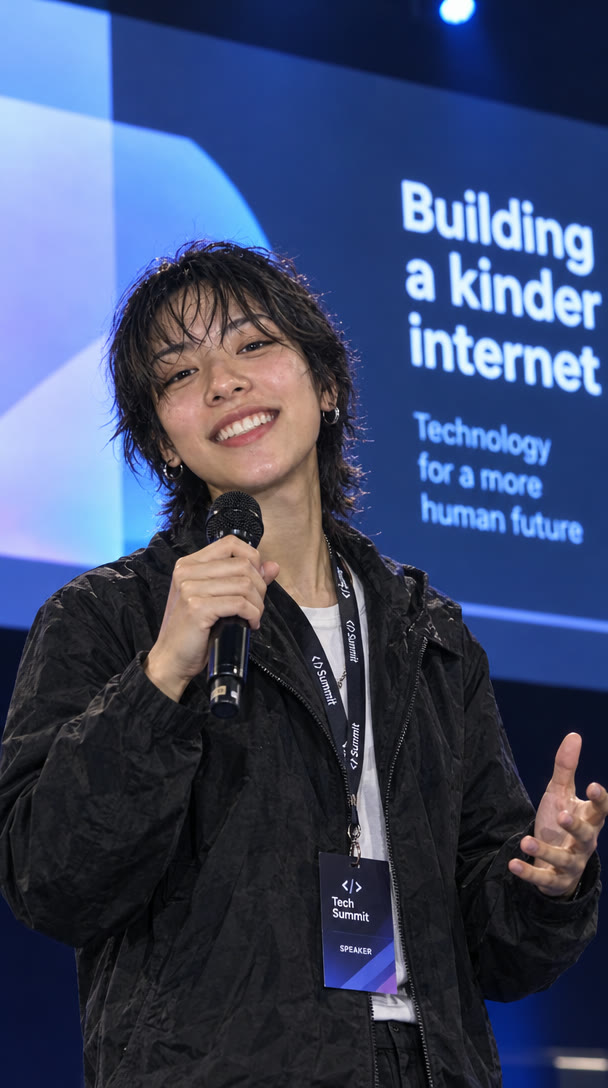 Same face, new scene
Keep the exact same person from the first image: same face, haircut and smile. Now they are on stage at a tech conference, holding a microphone and presenting, a large screen glowing behind them.
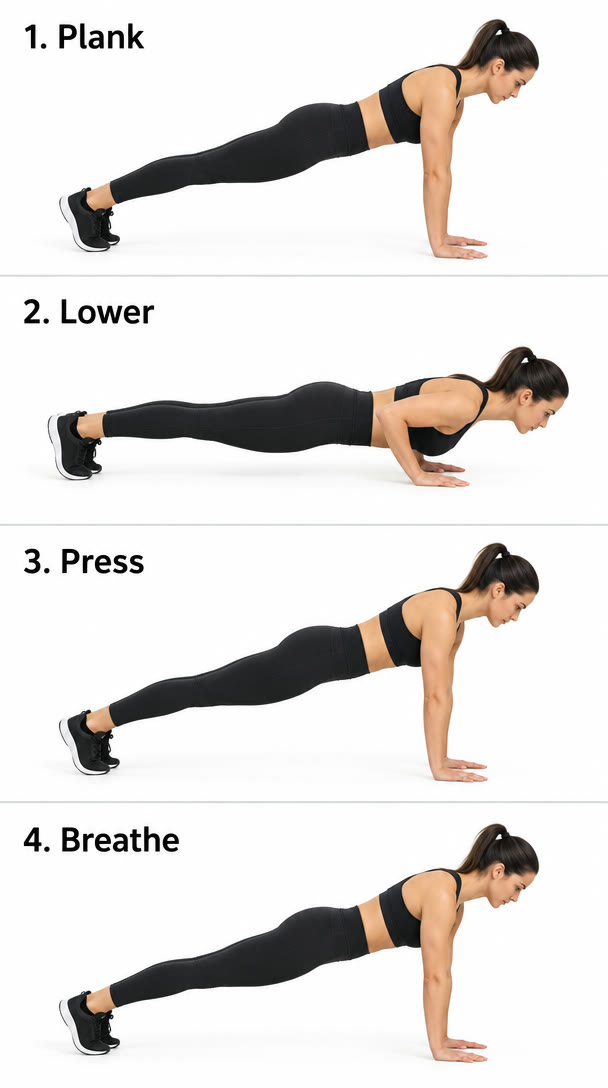 Labels right, poses repeat
A clean fitness infographic: a female coach demonstrates a push-up in four labeled panels, "1. Plank", "2. Lower", "3. Press", "4. Breathe". Each panel shows the same woman in the same black outfit from the side. White background, thin dividers, simple sans-serif labels, no other text.
 Poster with a person
A concert poster featuring a jazz saxophonist in a sharp burgundy suit mid-solo under a single spotlight. The headline at the top reads "BLUE HOUR SESSIONS". Below the image: "Friday 12 December · Doors 8 PM · The Velvet Room". Bold modern typography, film-grain texture.
 UGC with a label
UGC-style vertical selfie of a man in his twenties at a gym holding a matte black protein shaker up to the camera. The bottle reads "FORGE" and, below it, "30g PROTEIN" in bold white letters. Natural sweat, overhead gym lighting, slightly crooked phone framing.
 Fashion on a person
Full-body street-style photo of a woman in her fifties with silver hair in a tailored cobalt-blue trench coat, wide cream trousers and loafers, crossing a sunlit Paris boulevard mid-stride. Framed like a fashion-week street photographer's shot.
 Group photos
Five friends in their twenties laughing on a rooftop at sunset, one pouring lemonade from a glass jug, string lights overhead. Candid documentary style, every face distinct and natural.
Start here
Most images
The fast default. OpenAI says it beats GPT Image 2 with up to half the wait.
11 credits per image
Open with GPT Image 2.5 FlareOption 2
Precise edits and fine detail
Slower than Flare, and tuned for edits where small things have to be exactly right.
11 credits per image
Open with GPT Image 2.5 SunburstOption 3
Matching earlier work
April 2026. OpenAI retires it on 10 February 2027, so move new work to 2.5.
43 credits per image
Open with OpenAI GPT Image 2OpenAI released GPT Image 2.6 on 4 November 2026; it is not on Affogato yet, and this page will say when it arrives. Credits are read from the live catalog; the Standard plan ($24/month) includes 2,000 credits, about 181 GPT Image 2.5 Flare images.
Write what you want in the box at the top of this page, or start from an example. Add a photo to edit it instead.
Your prompt, photo, format and the GPT Image version you picked carry over. Nothing runs until you press Generate.
The credit price shows under the Generate button before anything is spent.
Send the result to Edit and change one thing at a time; switch to Sunburst for fine, exact edits.
Following long, specific instructions, putting the right words into comics, labels and posters, and edits that use many reference images.
They are two versions of the same model. Flare is faster and the everyday default; Sunburst is slower and aimed at precise edits and fine detail.
Yes. GPT Image is the model behind image generation in ChatGPT; on Affogato you use it directly, alongside other image and video models on one credit balance.
OpenAI released it on 4 November 2026. It is not on Affogato yet; GPT Image 2.5 Flare and Sunburst are.
No. Every image costs credits, shown before you generate. Credits come with a monthly plan and unused credits roll over up to the plan's cap.
Yes. Paid Affogato plans include a commercial license, within our terms of service and OpenAI's usage policies.
Facts checked November 15, 2026. Sources: fal: GPT Image 2.5 · OpenAI: image generation guide · OpenAI: image prompting guide · OpenAI: ChatGPT Images 2.5 system card · OpenAI: deprecations · MindStudio: GPT Image 2.5 review