Text in many languages
Seedream 5.0 Pro renders text in more than ten languages, including right-to-left scripts. Our Seoul cart came back with its Korean and English sign spelled right.
Seedream · by ByteDance
Seedream is ByteDance's image model family. Seedream 5.0 Pro is known for natural-looking people, dense layouts and text rendered correctly in more than ten languages, and for edits that keep a person the same. Describe an image below, or add a photo to edit, and it opens in Image Studio on Seedream 5.0 Pro.

Example image
Opens in Image Studio with the model you picked. You see the price in credits before anything runs.
Seedream 5.0 Pro renders text in more than ten languages, including right-to-left scripts. Our Seoul cart came back with its Korean and English sign spelled right.
Edits keep the face, hair and build, and one prompt can lay out several panels of the same model, as in our three-look lookbook.
Posters, lookbooks and multi-element pages hold together. 5.0 Pro can also split a design into layers and edit a selected region.
Pro for finals, Flash for speed (edits in about a third of Pro's time), Lite for 4K, all from the same family.
Every image below was generated with the prompt shown, unedited. Load any prompt into the generator and make your own version.
Creators on cameraCandid vertical photo of a 24-year-old creator with a short wolf-cut filming a vlog on a rainy Tokyo street at night, holding a small camera at arm's length and grinning into it. Neon reflections on wet pavement, natural skin texture, shot on a phone.
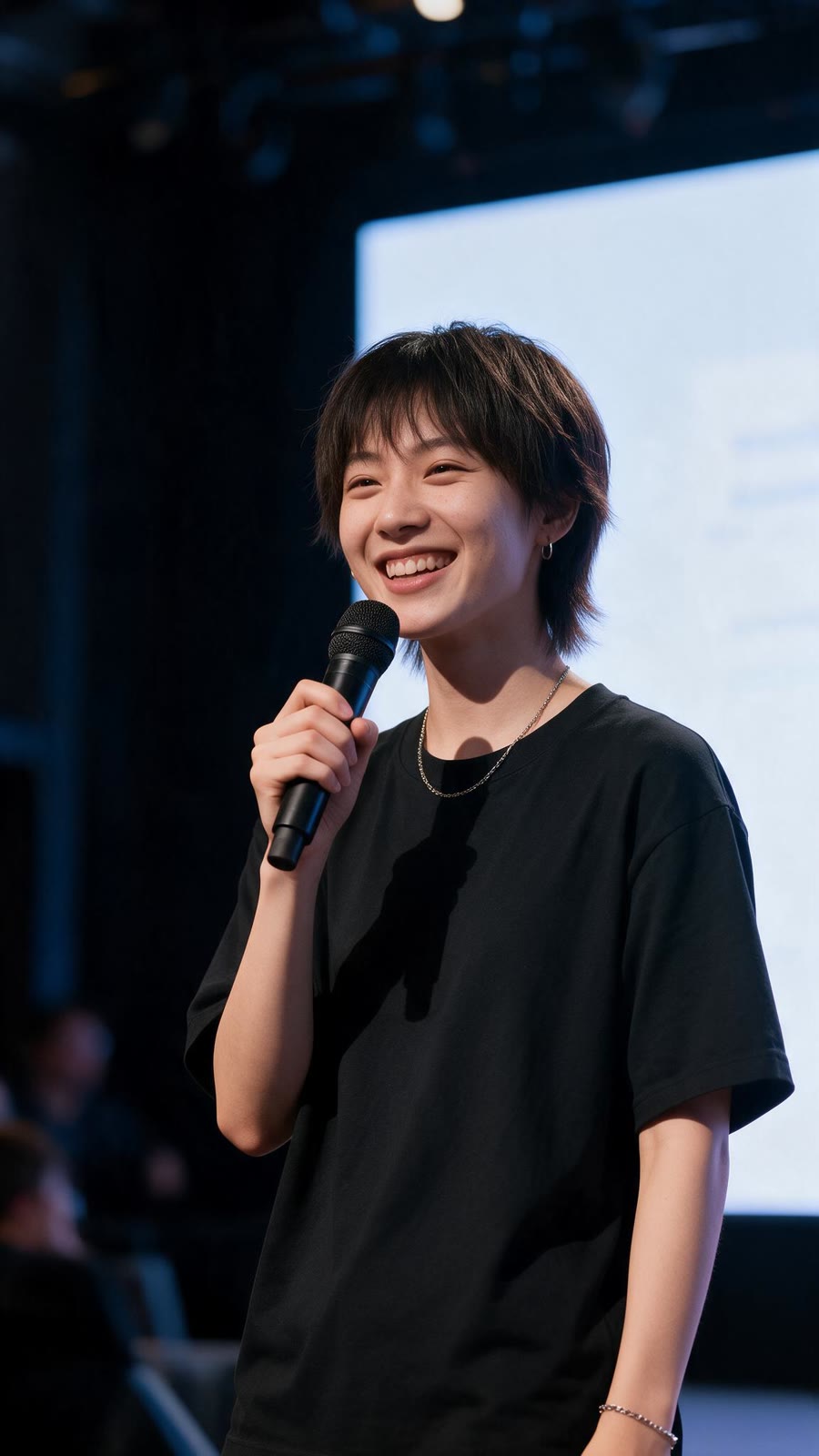 Same face, new scene
Keep the exact same person from the first image: same face, haircut and smile. Now they are on stage at a tech conference, holding a microphone and presenting, a large screen glowing behind them.
 Text in two languages
A street-food vendor in her sixties smiling behind her cart in Seoul at dusk. The cart sign reads "할머니 떡볶이" in large Korean letters and, below it in English, "Grandma's Tteokbokki · Since 1987". Steam rises from the pan, warm market lights.
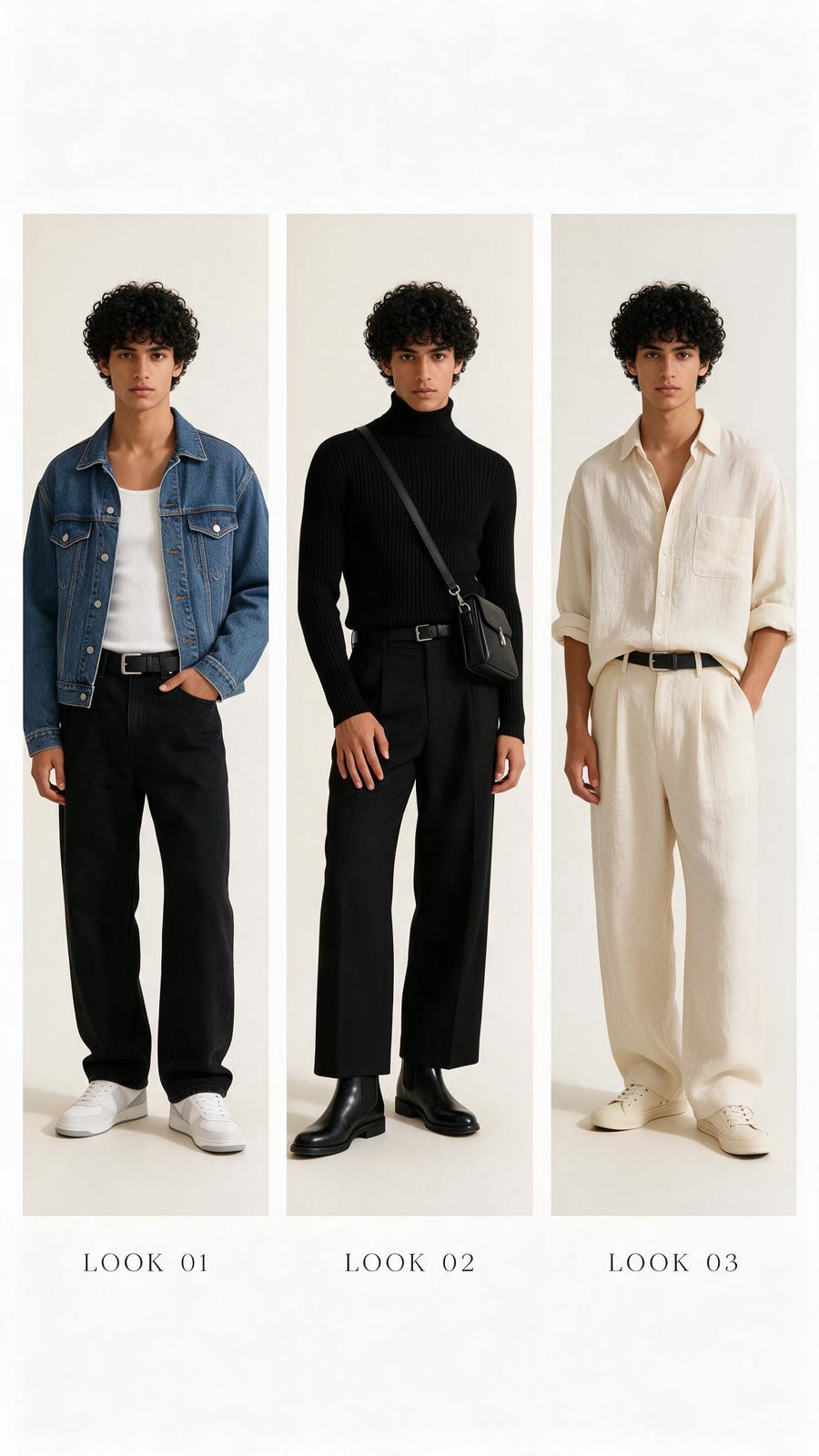 Same model, three looks
A fashion lookbook page with three vertical panels of the same model, a young man with curly black hair, wearing three outfits: a denim jacket, a black turtleneck, and a cream linen shirt. Same face in every panel, clean studio backdrop, small caption under each panel: "Look 01", "Look 02", "Look 03".
 Fashion on a person
Full-body street-style photo of a woman in her fifties with silver hair in a tailored cobalt-blue trench coat, wide cream trousers and loafers, crossing a sunlit Paris boulevard mid-stride. Framed like a fashion-week street photographer's shot.
 UGC with a label
UGC-style vertical selfie of a man in his twenties at a gym holding a matte black protein shaker up to the camera. The bottle reads "FORGE" and, below it, "30g PROTEIN" in bold white letters. Natural sweat, overhead gym lighting, slightly crooked phone framing.
 Poster with a person
A concert poster featuring a jazz saxophonist in a sharp burgundy suit mid-solo under a single spotlight. The headline at the top reads "BLUE HOUR SESSIONS". Below the image: "Friday 12 December · Doors 8 PM · The Velvet Room". Bold modern typography, film-grain texture.
 Group photos
Five friends in their twenties laughing on a rooftop at sunset, one pouring lemonade from a glass jug, string lights overhead. Candid documentary style, every face distinct and natural.
Start here
Final images with people or text
The most capable Seedream: natural faces, multilingual text, dense layouts. Slower than Flash.
27 credits per image
Open with Seedream 5.0 ProOption 2
Fast drafts and volume
Built for speed and budget. Edits come back in roughly a third of Pro's time.
6 credits per image
Open with Seedream 5.0 FlashOption 3
4K output
The 5.0 tier that renders true 4K, with web search and step-by-step reasoning before it draws.
7 credits per image
Open with ByteDance Seedream 5.0 LiteOption 4
Matching earlier work
December 2025: strong typography and consistency across up to 10 references, also at 4K.
8 credits per image
Open with ByteDance Seedream v4.5Seedream 4.0 and its Edit row are also in the studio's model menu. Credits are read from the live catalog; the Standard plan ($24/month) includes 2,000 credits, about 74 Seedream 5.0 Pro images.
Write what you want in the box at the top of this page, or start from an example. Add a photo to edit it instead.
Your prompt, photo, format and the Seedream version you picked carry over. Nothing runs until you press Generate.
The credit price shows under the Generate button before anything is spent.
Send the image to Edit and change the place, outfit or text while the person stays the same.
Natural-looking people, text in many languages (including Korean, Chinese and right-to-left scripts), dense layouts like posters and lookbooks, and edits that keep a person the same.
Seedream 5.0 Pro for final images, 5.0 Flash for fast drafts, and 5.0 Lite or 4.5 when you need true 4K output.
5.0 Pro and Flash stop at about 4.6 megapixels. Seedream 5.0 Lite and 4.5 render true 4K.
ByteDance's Seed team, which also makes the Seedance video models. Affogato runs both on one credit balance.
No. Every image costs credits, shown before you generate. Credits come with a monthly plan and unused credits roll over up to the plan's cap.
Yes. Paid Affogato plans include a commercial license, within our terms of service.
Facts checked November 15, 2026. Sources: fal: Seedream 5.0 Pro · fal: Seedream 5.0 Flash · AlternativeTo: Seedream 5.0 Pro launch · BytePlus: Seedream 4.5 · ByteDance Seed: Seedream 4.0 · Atlas Cloud: Seedream 5.0 Flash vs Pro · Runware: Seedream prompting