How to create the Hotel Lobby viral video with AI
Make the Hotel Lobby AI video in five steps: pick the clip, add photos of two people, choose who stands where, generate, and post. Same moves, your cast.
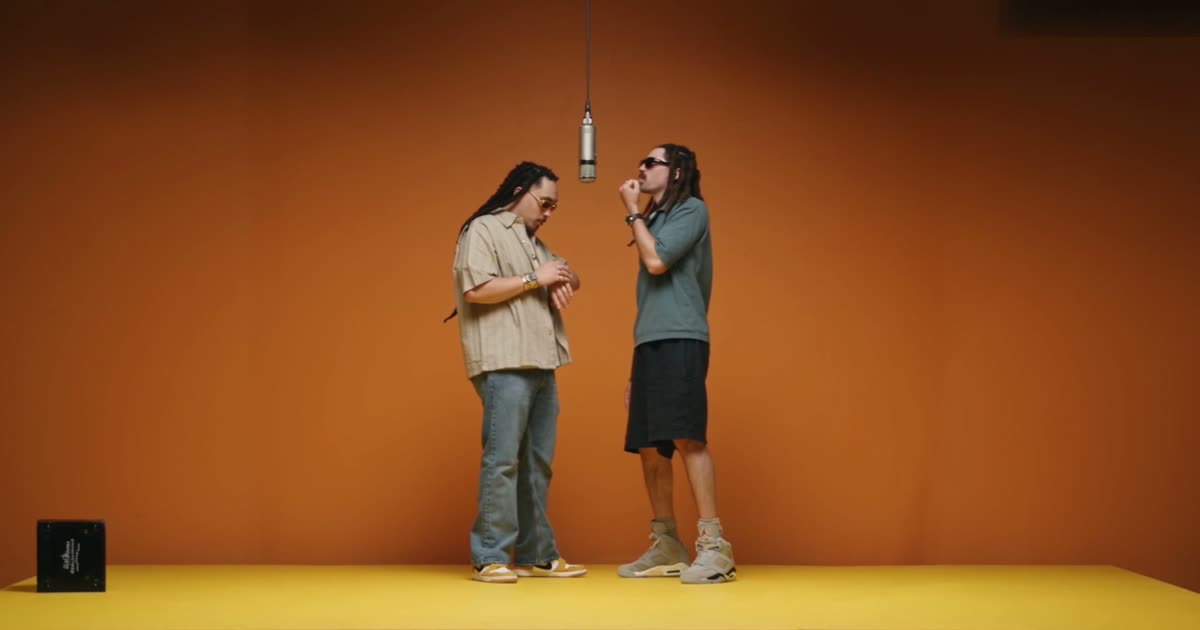
To create the Hotel Lobby viral video with AI, open the Hotel Lobby clip in Videozypher, add photos of the two people you want in it, choose who stands left and right, and generate. The result keeps the original moves, camera cuts, timing and audio. Only the people change.
You do not need to film anything, write a prompt, or track down the source clip to make a Hotel Lobby AI video. This guide covers the full process, the photos that work best, and the mistakes that spoil a render.
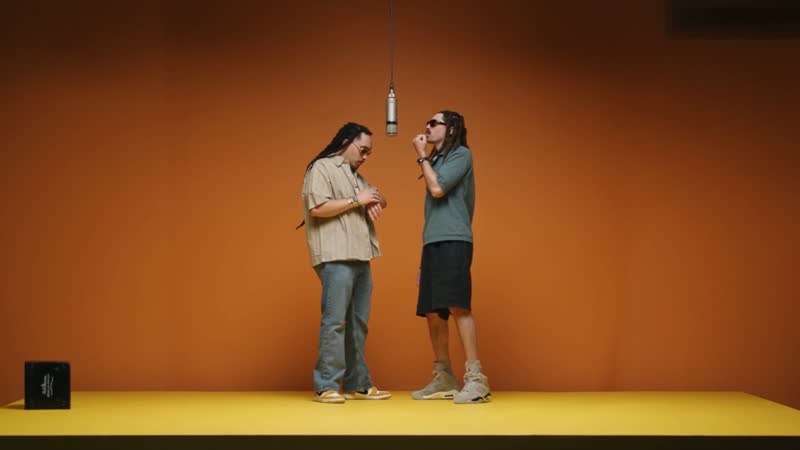
A Hotel Lobby recast made with Videozypher. The booth, the microphone and the choreography come from the reference clip. The two performers were swapped in.
What is the Hotel Lobby viral video?
The trend remakes Quavo and Takeoff's performance of "Hotel Lobby" on A COLORS SHOW, released in June 2022. Two performers stand in a matte-orange booth and trade verses at a single microphone hanging from the ceiling.
In mid-September 2026, creators began using AI to replace the two performers with friends, couples and fictional characters while keeping every move and beat. Hundreds of thousands of versions have since been posted on TikTok and X.
Despite the name, the video is not set in a hotel. You will also see it called the Hotel Lobby AI trend, the orange booth video, or the COLORS booth trend.
What do you need to make a Hotel Lobby AI video?
Photos of each person. One to four per person, sharp, front-facing and well lit.
Permission. Everyone whose photo you use should have agreed to be in the video.
An Affogato account with credits. The credit cost is shown before you generate.
You do not need the original clip. It is already in the Videozypher reference library.
1. Choose the Hotel Lobby reference clip
Open Videozypher and select Browse reference clips. Find Hotel Lobby and choose Use this clip. The full clip becomes your reference, and its motion, camera and timing are kept.
To remake a different video, choose Upload your own clip. Any clip between 4 and 30 seconds works, including one filmed on a phone.
2. Add the people you want in the video
Under Swap in, add photos for each person. Hotel Lobby has two performers, so add two people. You can add up to four photos per person, and nine photos in total.
Use a separate photo for each person. A group shot makes it harder to keep the two faces apart.
3. Say who stands where
Use Who in the video? to place each person on the left or the right. If it matters which of you takes which part, set it here instead of leaving it to chance.
You can also choose Describe and explain the placement in your own words.
4. Generate the video
Select Generate video. Renders are priced by the length of the reference clip, and the cost appears before you confirm. A failed render is refunded.
The finished video is 1080p and the same length as the reference. The original audio track is kept.
5. Check the result, then post
Watch the whole clip before you share it. Look closely at faces in the close-ups, hands near the microphone, and the first moments after each camera cut. If a face drifts, replace that person's photos with sharper ones and generate again.
When you are happy, select Download video. On TikTok or Instagram Reels, add the song from the platform's own sound library when you upload, and switch on the AI-generated label.
Which photos work best?
Face the camera, in even light, with a neutral expression.
Remove sunglasses and keep hands and hair away from the face.
Use photos between 300 and 6000 pixels per side.
Include one person per photo.
If you add more than one photo of someone, vary the angle slightly.
What mistakes should you avoid?
Group photos. The two faces can blend into each other.
Heavy filters. Beauty filters remove the detail that keeps a face recognisable.
Small or cropped faces. Screenshots and distant shots give the render too little to work with.
Posting the first render unchecked. One careful watch catches most problems.
Can you use photos of other people?
Use your own photos, or photos of people who have agreed to appear. The trend has drawn criticism where likenesses were used without consent, so avoid real people who have not said yes. That includes public figures.
Your own AI characters and fictional characters are safer choices, and they often make the funnier video.
Can you remake other viral videos the same way?
Yes. Videozypher is a reference-video studio, so any clip between 4 and 30 seconds can be the starting point. The cast can be people or objects, which means you can swap a product or a prop into a clip as easily as a person.
Frequently asked questions
What song is in the Hotel Lobby video?
"Hotel Lobby" by Quavo and Takeoff, released in 2022 under the name Unc & Phew.
Is the Hotel Lobby AI video free to make?
Renders are paid with Affogato credits. Plans start at $24 a month for 2,000 credits and include a commercial licence with no watermarks.
Do you need to write a prompt?
No. The reference clip supplies the motion, camera and timing. There is an optional field if you want to give extra direction.
How many people can you add?
Up to four people or objects per video. Hotel Lobby uses two.
How long is the finished video?
The same length as the reference clip you chose.
Make your Hotel Lobby AI video
Open Videozypher with the Hotel Lobby clip and add your cast.
Next, read how to make a talking-head video with an AI character and voice or how to make a UGC-style video ad without filming yourself.
