CLAUDE · IMAGE GENERATION
Can Claude generate images?
Not on its own: Claude writes text and code but has no image model. Connect Affogato as a connector and it can, with every image model Affogato serves.
Add one URL in Claude's settings and sign in. From then on you ask in plain words, Claude picks a model, quotes the credits and shows you the images in the chat. These three were made exactly that way.
https://api.affogato.ai/mcpMake three vertical photos for my coffee brand's Instagram: the same woman with a platinum bob, one in a cafe, one on the street, one at home with a mug.
Nano Banana Pro is the best fit for realistic people. Three 9:16 images come to 90 credits (30 each). Shall I go ahead?
- estimate_cost · nano-banana-pro · 30 credits
- generate × 3
- wait_for_generation



Set it up in Claude in a minute.
Works in Claude on the web and in the desktop app. No terminal, no API key.
- 01
Add Affogato as a connector
In Claude, open Settings → Connectors → Add custom connector. Name it Affogato and paste the MCP URL. The Add to Claude button above opens that dialog already filled in.
MCP URLhttps://api.affogato.ai/mcp - 02
Sign in with your Affogato account
Click Connect. An Affogato page opens: sign in, pick the workspace whose credits Claude may spend, and approve. No API key is created or pasted.
- 03
Ask for what you want
In a new chat, describe the image or clip. Claude picks a model, quotes the credits, generates and shows you the result. Turn the connector on from the chat's tools menu if Claude doesn't use it.
On Claude Team and Enterprise, an owner may need to allow custom connectors first.
Other apps: · Codex, VS Code and any MCP client
Images Claude made through Affogato
Each one is the prompt Claude sent, the model it chose and the credits it charged.

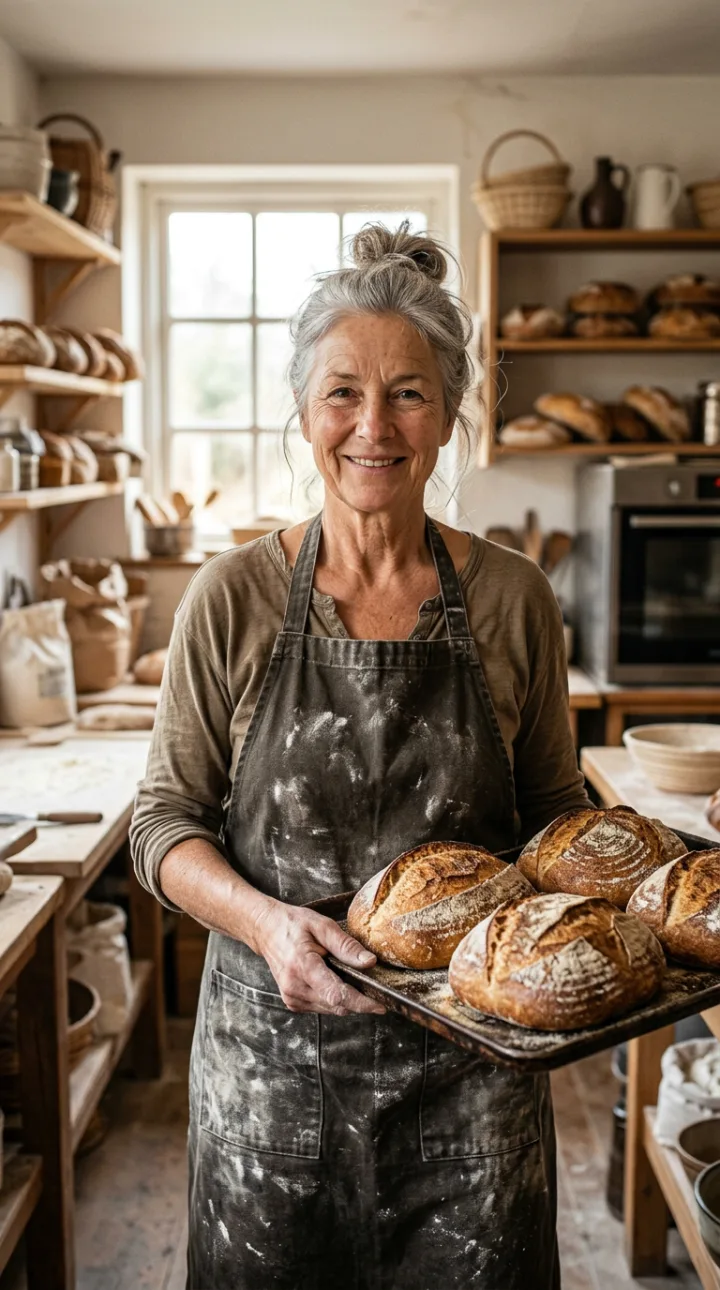
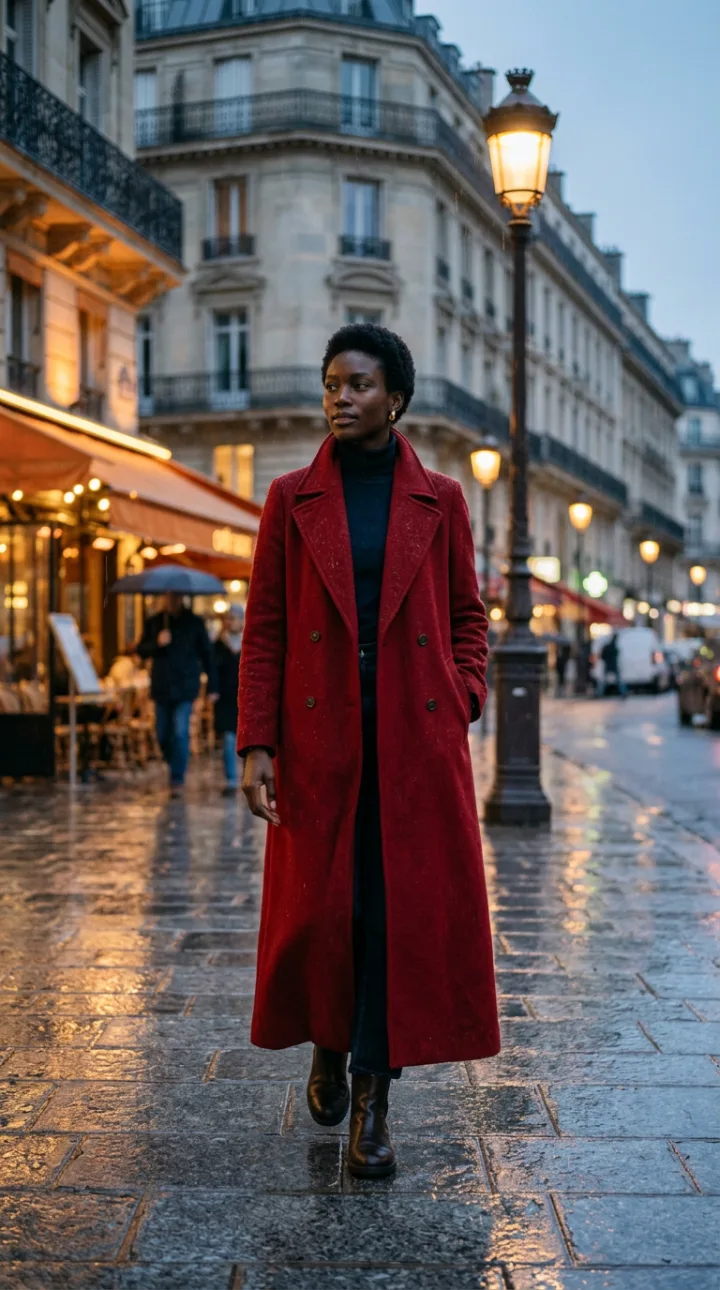


Image models Claude can use
The live Affogato catalog: name one, or let Claude choose. Prices are per image, in credits.
- Nano Banana Profrom 30 credits
- Nano Banana 2.1from 8 credits
- Seedream 5.0from 6 credits
- GPT Image 2.5 Flarefrom 11 credits
- FLUX.3 Imagefrom 10 credits
- Krea 3from 5 credits
- Ideogram 4.5from 12 credits
- Qwen Image 3from 8 credits
- Affogato Realismfrom 27 credits
- FLUX.1from 1 credits
- Seedream v4.5from 8 credits
- Seedream 5.5from 9 credits
- GPT Image 2.6 Flarefrom 11 credits
- Flux Rawphotofrom 10 credits
- Qwen Imagefrom 4 credits
- FLUX.3 Kleinfrom 2 credits
- FLUX.2 [pro] Outpaintfrom 9 credits
- FLUX.2from 3 credits
Things to ask
Plain words work. Name a model, a format or a budget when you care.
- “Make a 9:16 photo of a woman in her 30s laughing in a cafe, natural light. Use the cheapest good model and tell me the price first.”
- “Give me four takes on this product shot and keep the same person in all of them.”
- “Turn this photo into a professional headshot, corporate style.”
- “Which image model is best for readable text on a poster? Generate one with it.”
How it works, and the limits
Why Claude can't draw by itself
Claude is a language model: it reads and writes text and code. It can describe an image or write an SVG, but it has no built-in model that renders photos or artwork.
The models do the drawing
Claude, ChatGPT and Cursor write the prompt and call Affogato's tools; Affogato's image and video models render the result. The assistant can only use models from Affogato's live catalog.
A quote before every spend
estimate_cost prices a request without charging. Above your confirm threshold the assistant must ask you first, and a daily cap stops agents for the day.
Your content rules still apply
Prompts and uploads go through Affogato's content rules. Some requests are refused, and real people should only be used with their permission.
Results are files you own
No watermarks. Every output lands in your Affogato library as well as in the chat.
Questions
Can Claude generate images?
Not by itself. Claude has no image model. With the Affogato connector it can: Claude writes the prompt, Affogato's image models (Nano Banana, Seedream, FLUX, GPT Image and others) render it, and the image appears in the chat.
How do I generate images in Claude?
Add Affogato as a custom connector (Settings → Connectors → Add custom connector, URL https://api.affogato.ai/mcp), sign in with your Affogato account, then ask Claude for the image in a chat.
Which image models can Claude use?
Every image model in Affogato's catalog, including Nano Banana Pro, Nano Banana 2.1, Seedream, FLUX, GPT Image, Ideogram, Recraft and Kling Image. Ask Claude to list them; it reads the live catalog with list_models.
Is image generation in Claude free?
Claude doesn't charge for the connector. The images are generated by Affogato and cost credits from your Affogato workspace, quoted before each one.
Can Claude edit an image I already have?
Yes. Upload it through the link Claude gives you, then ask for the edit: a new background, a different outfit, a headshot. Affogato's editing models do the work.
Do I need an Affogato account?
Yes. The connector signs in to your Affogato account and spends the credits of the workspace you approve, the same credits as the web app. That workspace needs a paid plan or purchased credits; see the pricing page.
Can the assistant spend all my credits?
No. It quotes each generation with estimate_cost before charging, anything above your confirm threshold waits for your yes, and agents stop at the daily cap you set on the Developers page of the app. Failed or cancelled generations are refunded in full.
Where do the files go?
The assistant shows a link to each result, and every generation is also saved in your Affogato library, so you can open, download or keep editing it in the web app.
Connect once. Ask for anything.
Generations spend your Affogato credits, quoted first. See pricing, or manage connected agents and spend limits on the Developers page of the app.