Image studio · Hair
AI hairstyle changer
Upload a photo, describe the cut or the color, and see it on your own face. The edit model changes only the hair and keeps your face, expression, clothes and background, so you can compare a bob, curls and a pixie side by side before you book.
See the cut before the salon
- Upload a front-facing photo.
- Describe the cut and color you're thinking of.
- Compare several looks side by side.
Sign in to run it. The price shows first.


Long and straight to curls with bangs
01 Her photo
Woman with long straight brown hair and a center part against a grey backdrop
02 Curls + bangs
The same woman with shoulder-length curls and curtain bangs
03 What changed
"Change only her hairstyle to voluminous shoulder-length natural curls with curtain bangs, same medium-brown color. Keep her face, identity, expression, skin, black t-shirt, background, lighting and framing exactly the same."
Unedited output.
Nano Banana Pro Edit, one run, unedited. The people on this page are AI-generated.
How do you try on a hairstyle with AI?
Upload a clear, front-facing photo to Image Studio's Edit tab with Nano Banana Pro Edit. Write the haircut you want, then the things that must not change: "Change only her hairstyle to a chin-length blunt bob. Keep her face, expression, clothes, background and lighting exactly the same."
To try a color, keep the cut and name the shade: "Change only her hair color to rich copper red, same long straight cut." Run several looks from the same photo and compare them.
Change only my hairstyle to [cut, length, fringe/part]. Keep my face, identity, expression, skin, clothes, background, lighting and framing exactly the same.
Change only my hair color to [shade], keeping the same cut and length. Keep my face, identity, expression, clothes, background and lighting exactly the same.
What it does
- Your face, unchanged
- Only the hair is edited. Eyes, skin, expression and the background stay as they were.
- Cut and color
- Bobs, layers, curls, pixies, fades, braids, bangs, and any shade from platinum to copper.
- Side by side
- Every look lands next to the original, so you can compare before you decide.
- Bring a reference
- Add a photo of a cut you like and ask for that hairstyle on your face.
One face, many cuts
Every look below came from the photo on the left of its row, with the prompt pattern above. Faces, clothes and backgrounds were not touched up.
Original Blunt bob
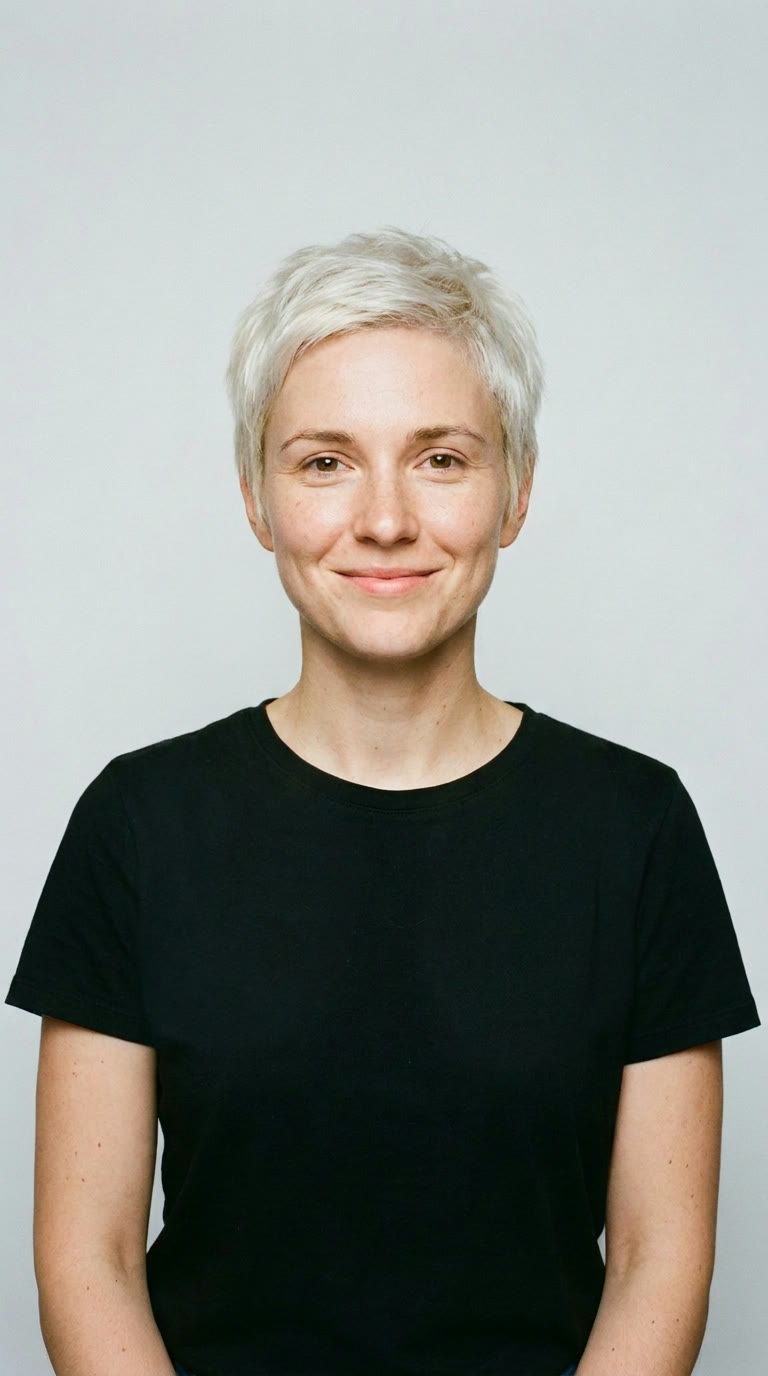 Platinum pixie
 Copper red
Bob, pixie, copper
 Original
 Taper fade
 Blonde tips
Twists to a fade, or blonde tips
How to try on hairstyles with AI
- 01
Upload a clear photo
Front-facing, good light, hair visible. Open Image Studio's Edit tab with Nano Banana Pro Edit.
Hair tied back? It still works, but loose hair gives a truer preview of length.
- 02
Describe the hair
Cut, length, texture, fringe and color, then "keep my face, expression, clothes and background exactly the same".
Saw a cut you like? Add that photo as a second image and say "the hairstyle from the second image".
- 03
Compare looks
Run several prompts from the same photo and put them side by side.
Face changed a little? Run it again; keep the "exactly the same" line.
Models for hair changes
Our examples use Nano Banana Pro Edit, which kept every face. The others work too; compare on your photo.
| Model | Best at | Credits |
|---|---|---|
| Nano Banana Pro Edit | Keeping a face exactly while the rest changes | 30 per image |
| Seedream 5.0 Pro Edit | Changing one region and leaving the rest untouched | 27 per image |
| GPT Image 2.6 Flare Edit | Following long, detailed instructions | 11 per image |
| Seedream 5.5 Edit | Restyles and new scenes, up to 2K | 16 per image |
Where it's used
Tips
- Use a front-facing photo with your hair down.
- Say the length in plain words: chin, shoulder, mid-back.
- Change cut and color in separate runs to judge each.
- Add a reference photo for a specific cut.
How accurate is an AI hairstyle preview?
It shows how a cut and a color frame your face, which is the hard thing to imagine. It can't know how your own hair will behave: thickness, cowlicks and curl pattern are up to your hairdresser. Treat it as a mock-up to bring to the salon.
Good input makes a good preview: a front-facing photo in even light, with your hair loose and your face clear.
FAQ
Will it change my face?
It is told to change only the hair. In every example on this page the face, expression, clothes and background stayed the same. Compare with your original before you share a result.
Can I try hair colors too?
Yes. Keep the cut and name the shade: "rich copper red", "platinum blonde", "honey-blonde tips with dark roots".
Does it work for men's cuts and textured hair?
Yes. The examples include a taper fade and bleached twists from the same photo of a man with twists.
How much does it cost?
Nano Banana Pro Edit is 30 credits per image. The Standard plan is $24 a month for 2,000 credits. The price shows before you run it.


