Image studio · Interiors
AI room design
Take a photo of a room and describe the style you want. The edit model keeps the room itself (walls, windows, ceiling and the camera angle) and replaces the floor, furniture, lighting and colors, so you see your own space redesigned rather than a stock interior.
Your room, restyled
- Photograph the room from a corner, in daylight.
- Describe the style, the pieces and what must stay.
- Try several styles on the same photo.
Sign in to run it. The price shows first.
A dated living room in Japandi style
01 Your room
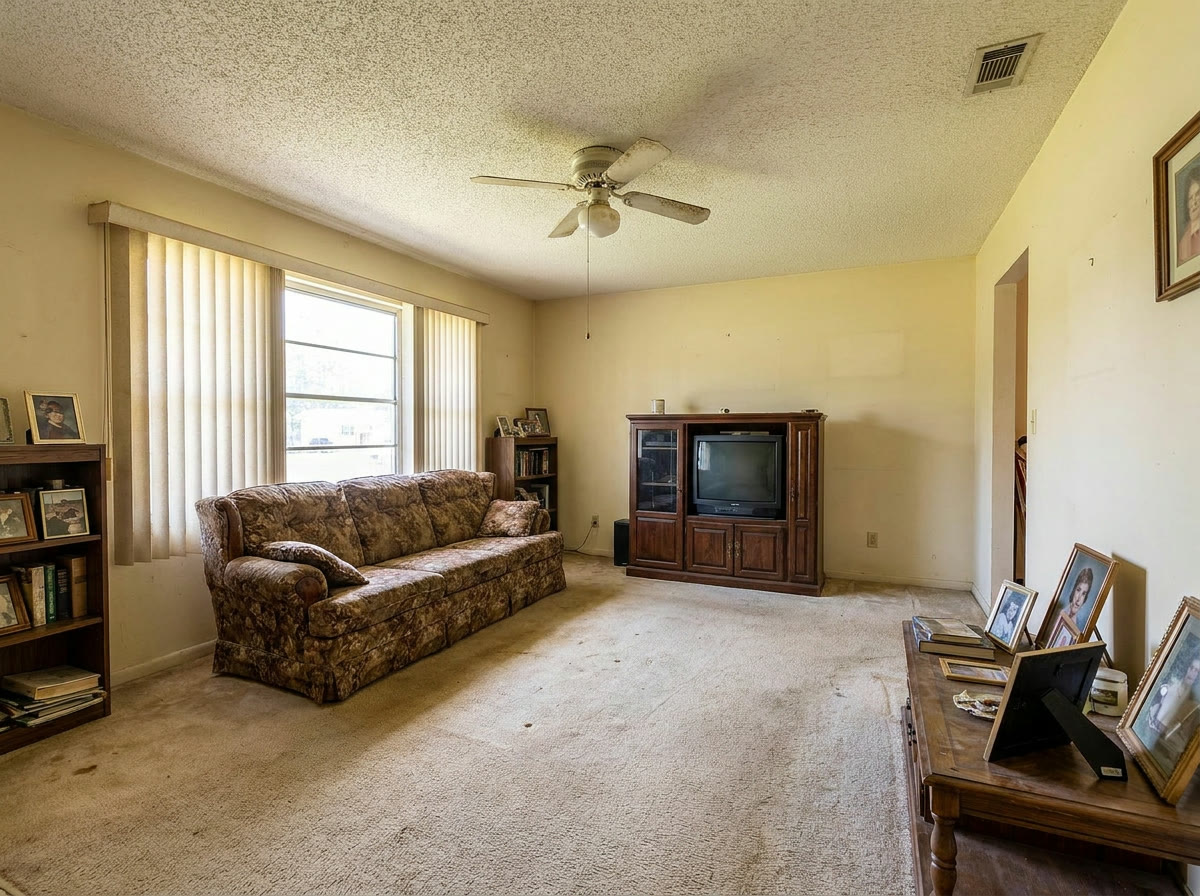
Dated living room with beige carpet, a floral sofa, a wooden TV cabinet and vertical blinds
02 Japandi
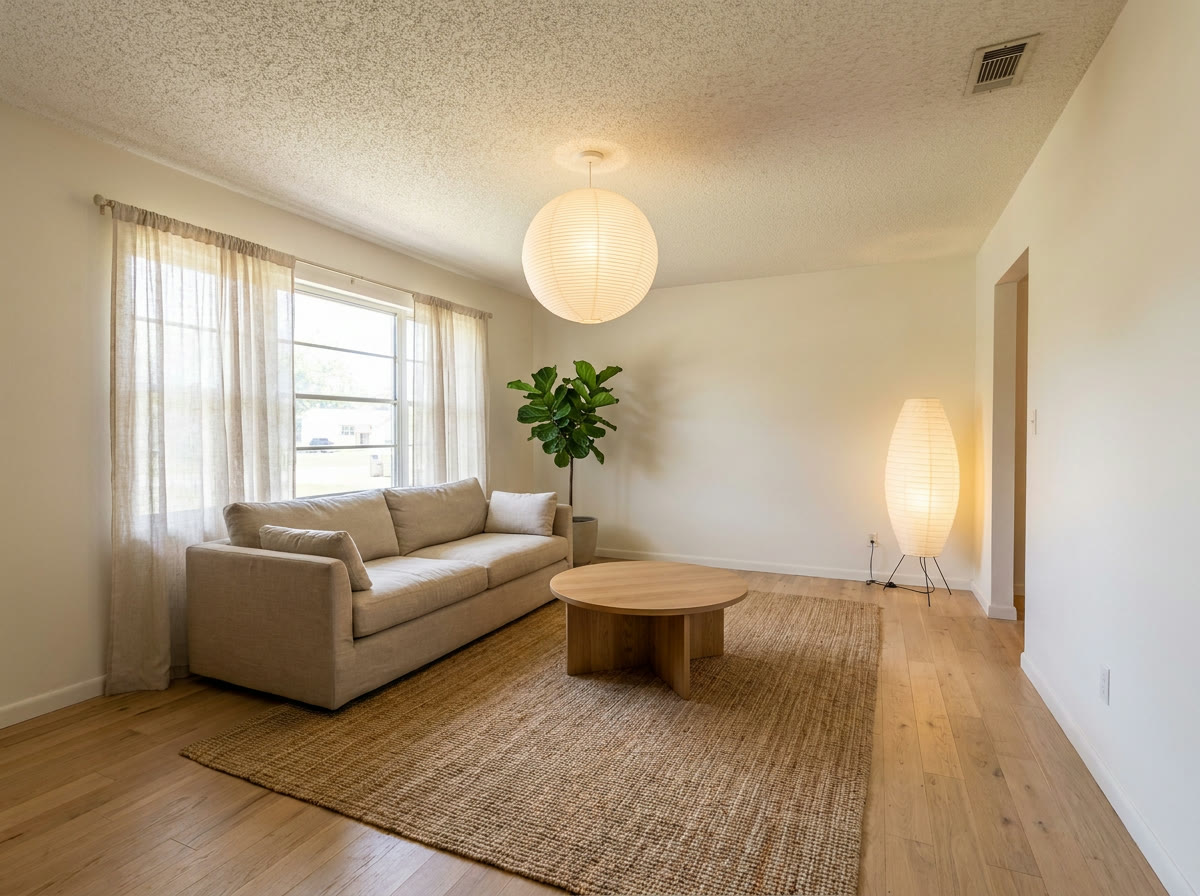
The same living room redesigned in Japandi style with oak floors, a linen sofa and a paper pendant
03 What changed
Carpet to oak boards, walls warm white, a low linen sofa, a round oak table, a jute rug, a paper pendant in place of the ceiling fan, linen curtains for the blinds. Walls, windows, ceiling and angle unchanged.
Unedited output.
Nano Banana Pro Edit, one run, unedited. The room photo is AI-generated.
How do you redesign a room with AI?
Photograph the room from a corner at eye level so most of it is in frame. Upload it to Image Studio's Edit tab and describe the style and the main pieces, then what must not change: "Keep the room's walls, window positions, ceiling, size and camera angle exactly the same."
The model only changes what you mention. In the mid-century example below we didn't ask for the ceiling fan and the TV cabinet to go, and they stayed. Name everything you want replaced.
Redesign this [room] in a [style] style: [floor], [wall color], [main furniture], [lighting], [window treatment]. Keep the room's walls, window positions, ceiling, size and camera angle exactly the same. Realistic interior photo.
What it does
- Your actual room
- The walls, windows, ceiling and the camera angle stay, so the design fits the space you have.
- Any style
- Japandi, Scandinavian, mid-century, industrial, coastal, maximalist: name it and the pieces.
- Change only what you name
- Keep the sofa and change the floor, or keep everything and repaint the walls.
- Side by side
- Run several styles from one photo and compare them before you buy anything.
One room, three styles
All three start from the same photo. Each prompt named the floor, the furniture and the light, and asked for the room itself to stay.
BeforeJapandi Mid-century
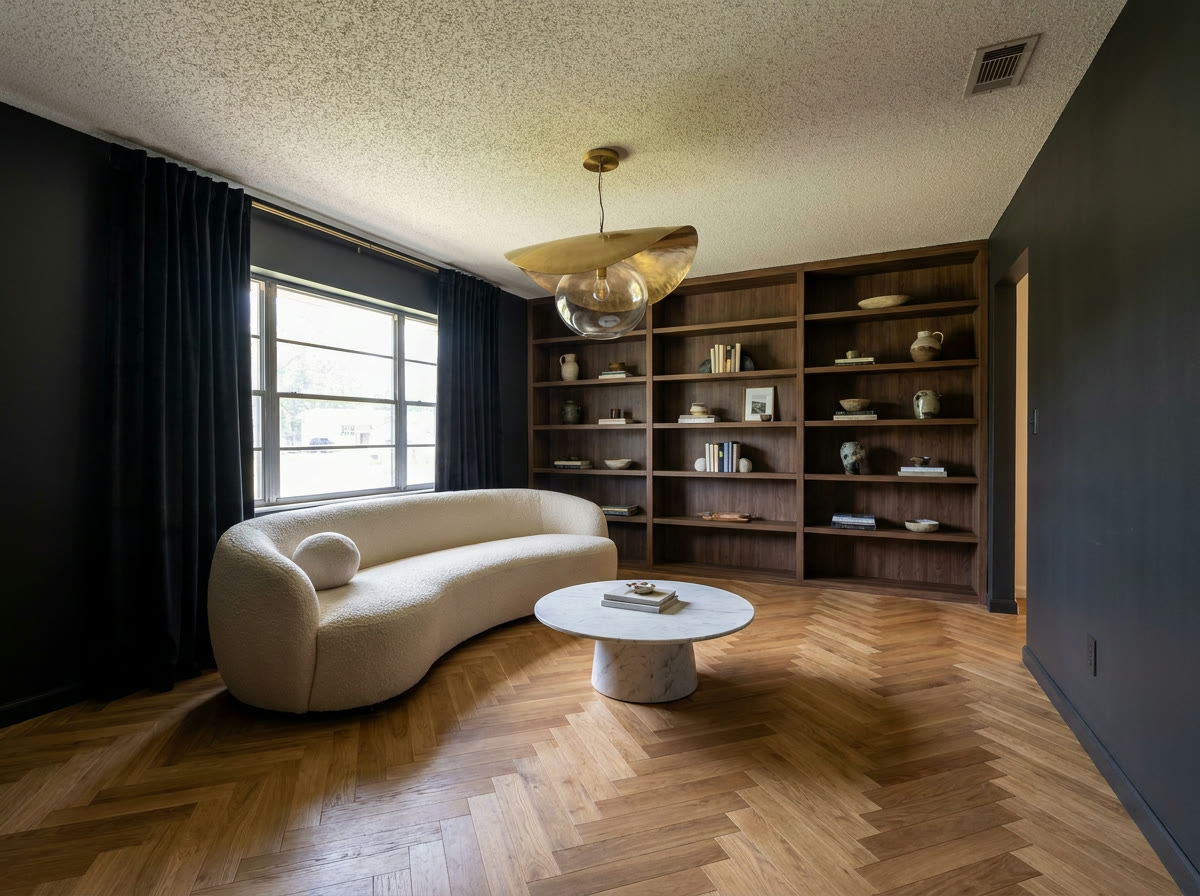 Bold modern
Japandi, mid-century, bold modern
How to redesign a room with AI
- 01
Photograph the room
From a corner, at eye level, in daylight, with the clutter cleared. Upload it to Image Studio's Edit tab.
Small room? Shoot from the doorway with your phone's wide lens.
- 02
Describe the design
Style, floor, walls, main furniture, lighting and window treatment, then "keep the walls, windows, ceiling and camera angle the same".
Something stayed you wanted gone? Name it in the prompt: "remove the ceiling fan".
- 03
Compare styles
Run several styles from the same photo and compare them side by side.
Like one piece from each? Take the best result and ask for that piece.
Models for interiors
Our examples use Nano Banana Pro Edit, which kept the room's structure. Compare a second model on your photo.
| Model | Best at | Credits |
|---|---|---|
| Nano Banana Pro Edit | Keeping a face exactly while the rest changes | 30 per image |
| Seedream 5.0 Pro Edit | Changing one region and leaving the rest untouched | 27 per image |
| GPT Image 2.6 Flare Edit | Following long, detailed instructions | 11 per image |
| Seedream 5.5 Edit | Restyles and new scenes, up to 2K | 16 per image |
Where it's used
Tips
- Shoot from a corner at eye level.
- Name everything you want replaced, or it may stay.
- Describe the light: "warm evening lamps", "bright daylight".
- Keep the "walls, windows and camera angle" line in every prompt.
What can AI interior design do, and what can't it?
It is a fast mood board for your own room: you see a style in your space, with your windows and your light, in seconds. It is good for choosing a direction, a palette or a floor.
It isn't a floor plan. Furniture sizes are plausible, not measured, and the model can't see what's outside the photo. Use it to decide on a look, then measure before you buy.
FAQ
Does it keep the layout of my room?
Ask it to keep the walls, window positions, ceiling and camera angle, and it does. Furniture placement can change, so describe where the sofa or bed should go.
Which styles can I try?
Any you can describe: Japandi, Scandinavian, mid-century modern, industrial, coastal, bohemian, maximalist. Naming the key pieces and materials works better than the style name alone.
Why did something old stay in the result?
The model changes what you mention. If the ceiling fan or the TV should go, say so.
How much does it cost?
Nano Banana Pro Edit is 30 credits per image. The Standard plan is $24 a month for 2,000 credits. The price shows before you run it.


