Connect any model
Every image, video and voice model on Affogato is a node: Kling, Seedance, Nano Banana, FLUX and the rest. Wire a product photo into a UGC shot, into a video, into an upscale.
Canvas is a node-based AI workflow builder. Connect image, video and voice models into one workflow, save it as a recipe your team can run from a simple form, then run it in batches, on a schedule or from the API. Every output can go through review before it ships. Canvas is in private beta: request access in the app.
PRIVATE BETA · REQUEST ACCESS · BUILDING IS FREE · PAY ONLY FOR WHAT YOU GENERATE
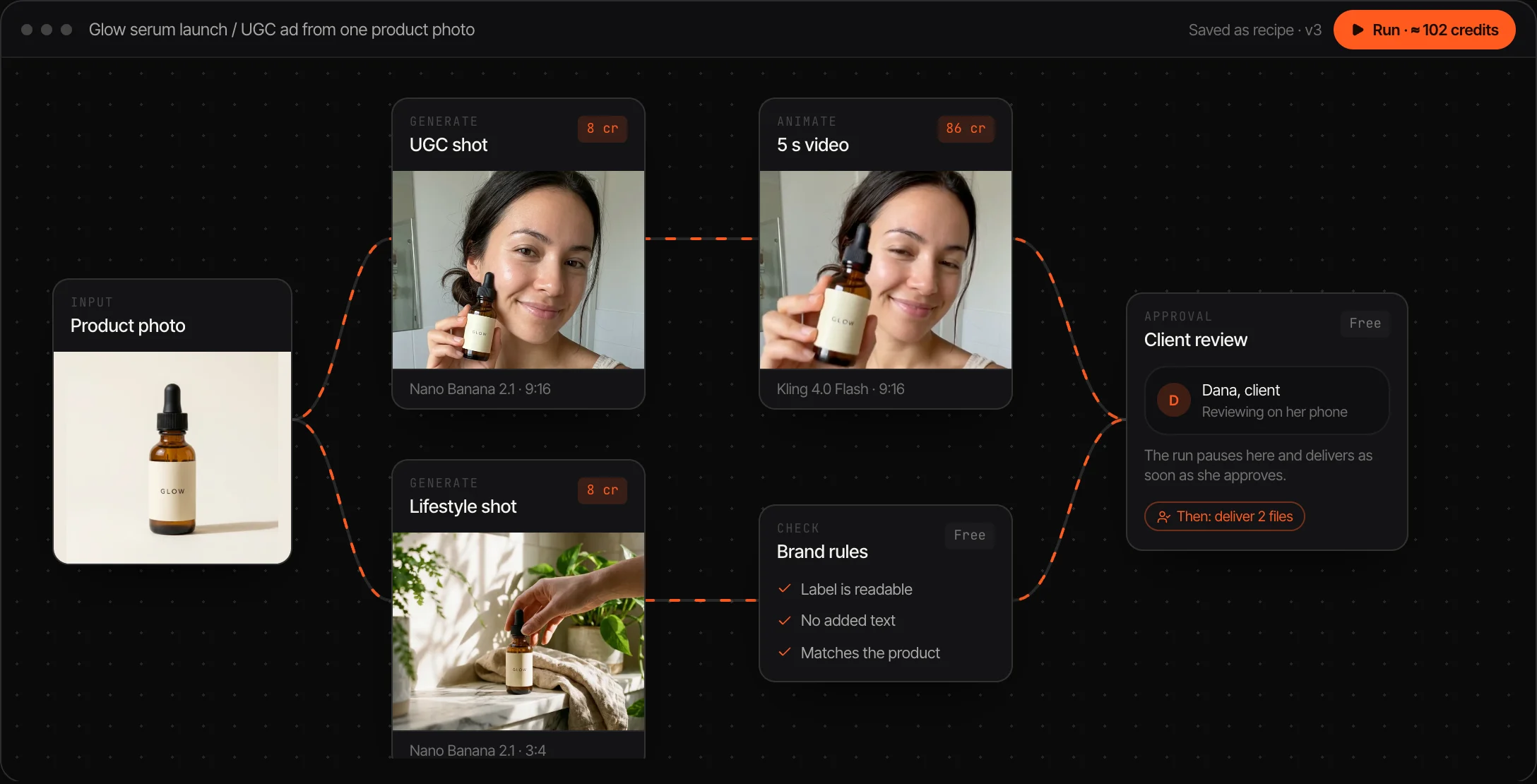
Every image, video and voice model on Affogato is a node: Kling, Seedance, Nano Banana, FLUX and the rest. Wire a product photo into a UGC shot, into a video, into an upscale.
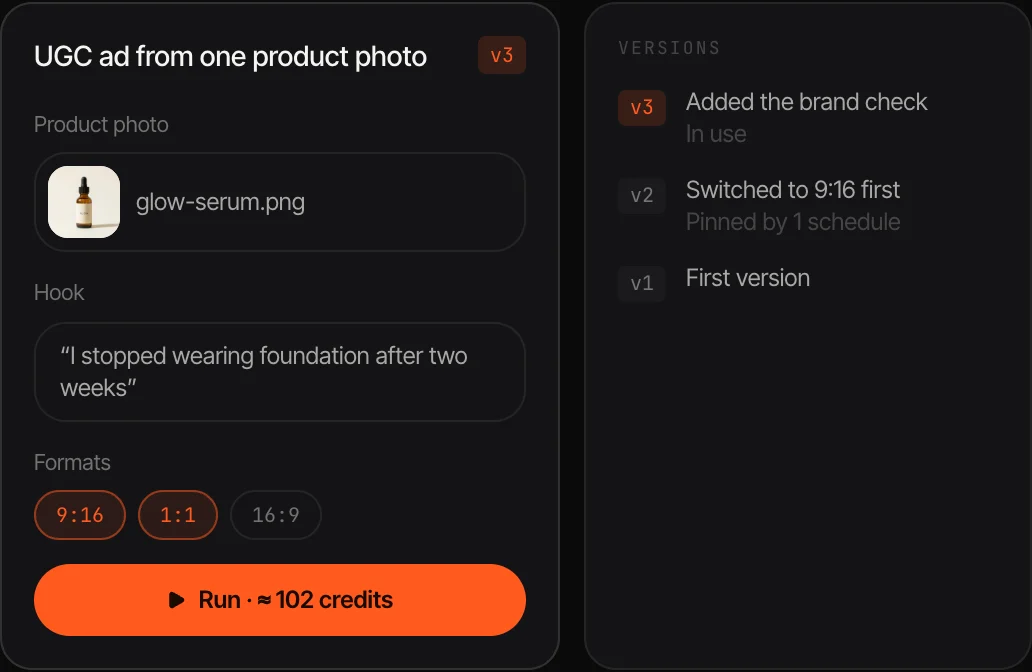
Publish a workflow and it becomes a form: a photo, a line of text, a format. Teammates run it without touching a node. Recipes are versioned, so nothing changes under a client.
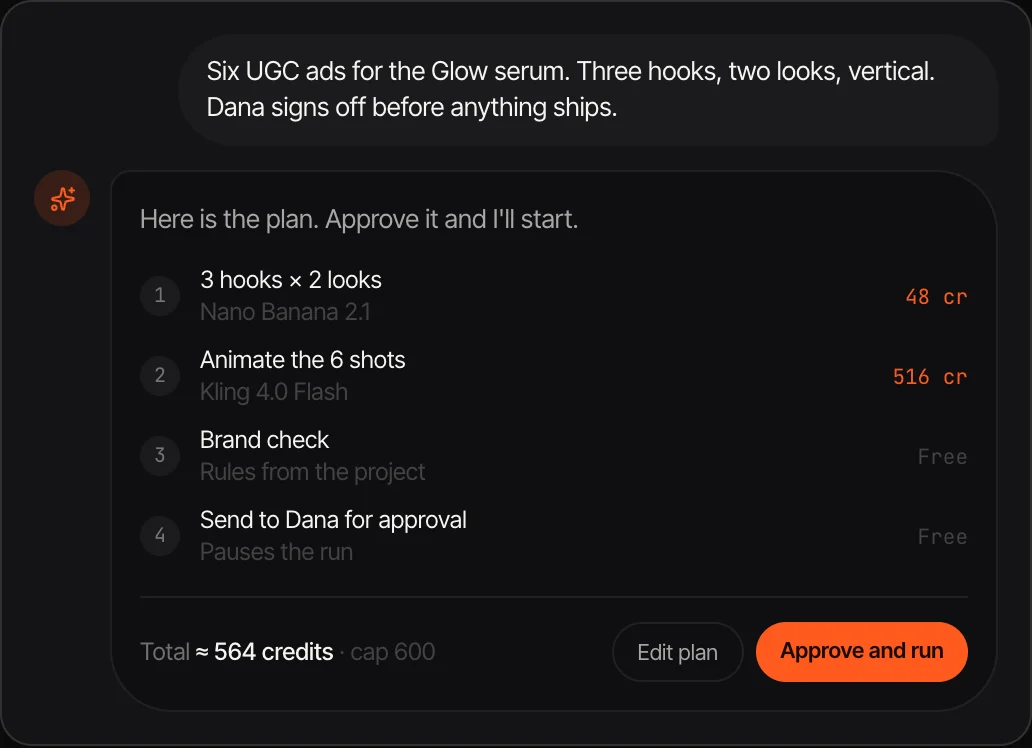
Describe the job in a sentence. The agent picks the models, lays out the steps and shows the price. Approve it and it runs, and the workflow is yours to edit.
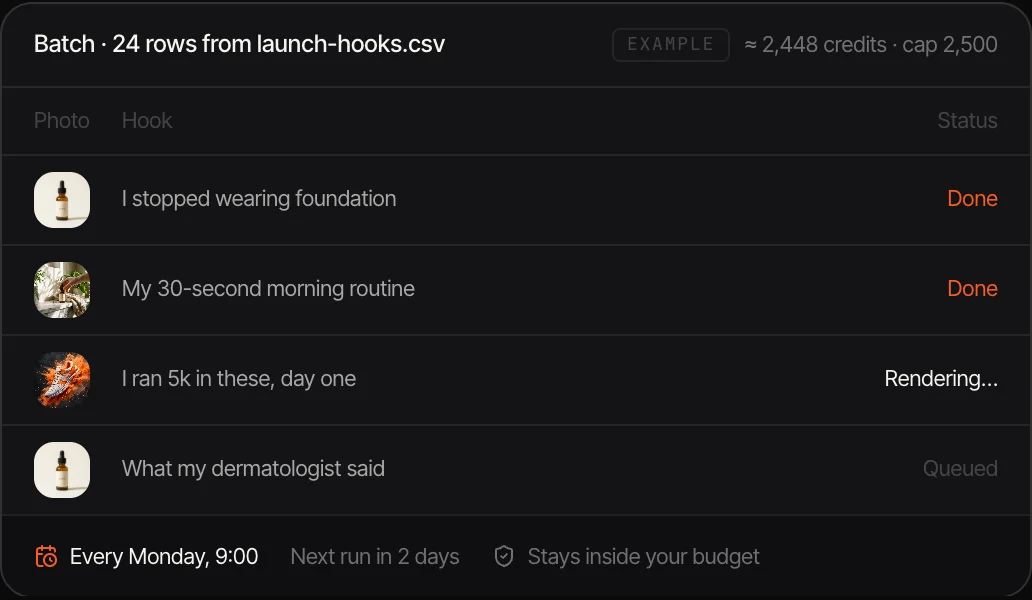
Feed a recipe a CSV or a Google Sheet for one output per row, put it on a weekly schedule, or call it from the API or MCP.
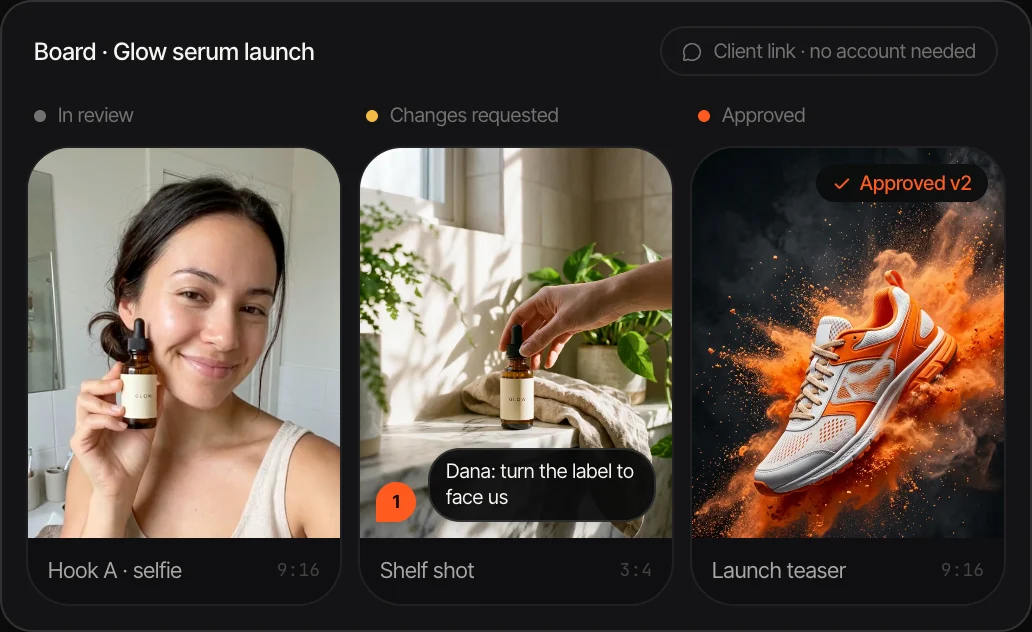
Outputs land on a board. Comments pin to the spot on an image or the second of a video, and clients approve from a link with no account.
Each node shows its credits and the run button shows the total. That price is what you pay, and failed steps are refunded.
Start from a brief and let the agent lay out the steps, or drag in the models yourself and connect them. Open any Affogato studio result in Canvas to start from work you already have.
Publish the workflow as a recipe. Run it once from the canvas, as a form on any device, across a spreadsheet of rows, or on a schedule.
Send outputs to the board, collect comments and approvals from your team and clients, and export the approved files.
An AI workflow builder lets you chain generation steps instead of running them one at a time. A typical job has several: make an image of a product in a scene, turn it into a short video, upscale it, cut it to three formats. In a workflow builder each step is a node, the output of one feeds the next, and the whole chain runs with one click.
A node-based canvas is the usual interface: boxes for inputs, models and tools, lines for what feeds what. Canvas adds the parts that make a workflow useful more than once. A saved workflow becomes a recipe with typed inputs and versions. It runs as a form for people who don't build workflows, across a spreadsheet for volume, and on a schedule for work that repeats. An approval step can pause a run until a client says yes.
Canvas runs on the same models and credits as the rest of Affogato, so a workflow can use any of them and the price shown before a run is the price charged. It is in private beta. Until your invite arrives, the studios do each of these steps by hand, and the API and MCP server run them from code.
One product shot in; UGC stills, a short video and three aspect ratios out.
The same recipe every Monday with new hooks from a sheet.
A project per client with its own assets, budget and approval link.
One prompt through several models side by side to pick the best.
Hundreds of products through one workflow, with a spending cap.
Canvas is in private beta. Request access on the Canvas page in the app and answer a few questions about your work; invites go out in groups.
Any model on Affogato: image, video, voice and lip sync models from Kling, ByteDance, Google, Black Forest Labs, OpenAI and others, plus tools such as upscale and background removal.
No. The agent builds a workflow from a description, and every Affogato studio has a starter recipe you can run as a form. The graph is there when you want to change something.
ComfyUI is an open-source graph for running models on your own hardware, with full control over every sampler setting. Canvas is hosted, uses commercial models through one credit balance, and adds recipes, batch runs, schedules and client approval.
Canvas uses your Affogato credits. Building and arranging a workflow is free; you pay for the generations it runs, at the price shown on each node before you run it.
Yes. Recipes run from the Affogato REST API and the MCP server, so Claude, Cursor and your own scripts can start a run and read the results.
Request access to Canvas and tell us the first workflow you would build.
NO WATERMARKS · CREDITS ROLL OVER · COMMERCIAL LICENSE INCLUDED · CANCEL ANYTIME