Christmas pfp maker
Christmas pfp maker: a profile picture from your selfie
Add a selfie, pick a Christmas look and get a square profile picture that is still you: Santa hat, snow, anime, cartoon or 3D. Or skip the selfie and prompt a cute, aesthetic, funny or matching pfp.

Made from one mirror selfie with Nano Banana Pro Edit, unedited. The person is AI-generated.
A bus selfie, a cozy Christmas pfp
01 Her selfie

A grey hoodie on a rainy bus ride.
02 The prompt
Cozy aesthetic Christmas profile picture of the same woman from the reference photo: same face, same curly dark hair and gold hoop earrings. A mug of cocoa near her chin, an oversized cream knit sweater, Christmas tree lights out of focus behind, soft film grain. Square 1:1, face centred.
Same face, a new scene, square with the face centred.
03 The pfp

Nano Banana Pro Edit, unedited.
Every picture on this page is an unedited output. The people are AI-generated examples, not customers.
How do you make a Christmas pfp?
With a selfie: add it in Image Studio, choose Nano Banana Pro Edit and say "the same person from the reference photo", then the look: a Santa hat, snow, fairy lights. For a drawn version, name the style (anime, flat cartoon, 3D cartoon) and what must stay, such as your fringe or glasses.
Without a selfie: choose Nano Banana Pro and describe the character or scene. Either way ask for a square 1:1 picture with the face centred, because most apps show a pfp as a circle and cut the corners off. Three prompts to start from:
Christmas profile picture of the same person from the reference photo, same face and hair. A red Santa hat and a cream knit sweater, warm fairy lights blurred behind, big natural smile, looking at the camera. Square 1:1, head and shoulders, face centred, fills the whole square, no text.
Cute chibi character profile picture: a small round-faced girl with two brown buns, rosy cheeks and big sparkly eyes, wearing an oversized Santa hat and a red scarf, hugging a tiny gingerbread man, soft pastel pink background with small white stars, kawaii sticker-style illustration with clean outlines and soft shading. Square 1:1 profile picture, head and shoulders, face centred in the middle of the frame with space around the head so it survives a circular crop, no text.
Two matching Christmas profile pictures side by side in one wide image, split exactly down the middle into a left half and a right half with a thin white vertical line between them. Left half: a cute cartoon girl with a black bob wearing a Santa hat, facing right and reaching one hand toward the centre line. Right half: a cute cartoon girl with curly ginger hair wearing reindeer antlers, facing left and reaching one hand toward the centre line, so their hands meet at the line. Same soft pastel red background with snowflakes in both halves, same flat cute illustration style, each character centred in her own half, no text.
What it does
- Still you
- Your selfie is the face reference, so the pfp looks like you, in a Santa hat or as a drawing.
- Photo, anime, cartoon, 3D
- The same selfie works for a real-looking photo or a drawn version. Name the style in the prompt.
- Matching pfps
- One pfp each from a photo of two people, or a matching pair of characters from a prompt.
- Original characters
- No selfie needed for a cute chibi, an anime boy in the snow or a cat in a Santa hat.
- Square and centred
- 1:1 output with the face in the middle, so nothing is lost when an app shows it as a circle.
- Sharp at any size
- Generate at 1K, 2K or 4K. A pfp is small on screen, so 1K is plenty.
Christmas pfps by style
Selfie rows show the photo that went in, then what came out, made with Nano Banana Pro Edit. The last row came from prompts alone with Nano Banana Pro. Everything is unedited and the people are AI-generated examples.
 Her selfieSanta hat
 Anime
 3D cartoon
One mirror selfie, three styles
 His selfie
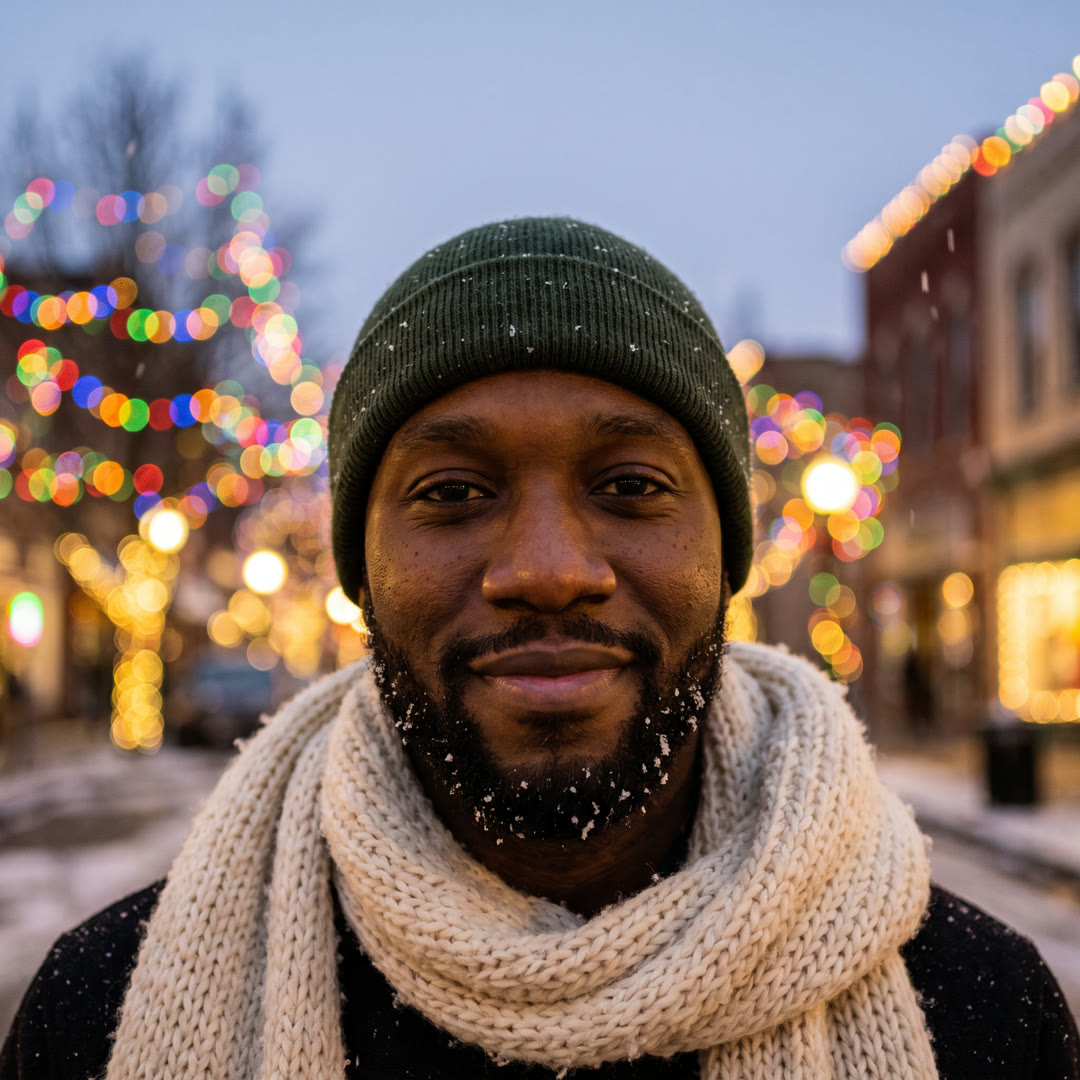 Snowy evening
 Cartoon avatar
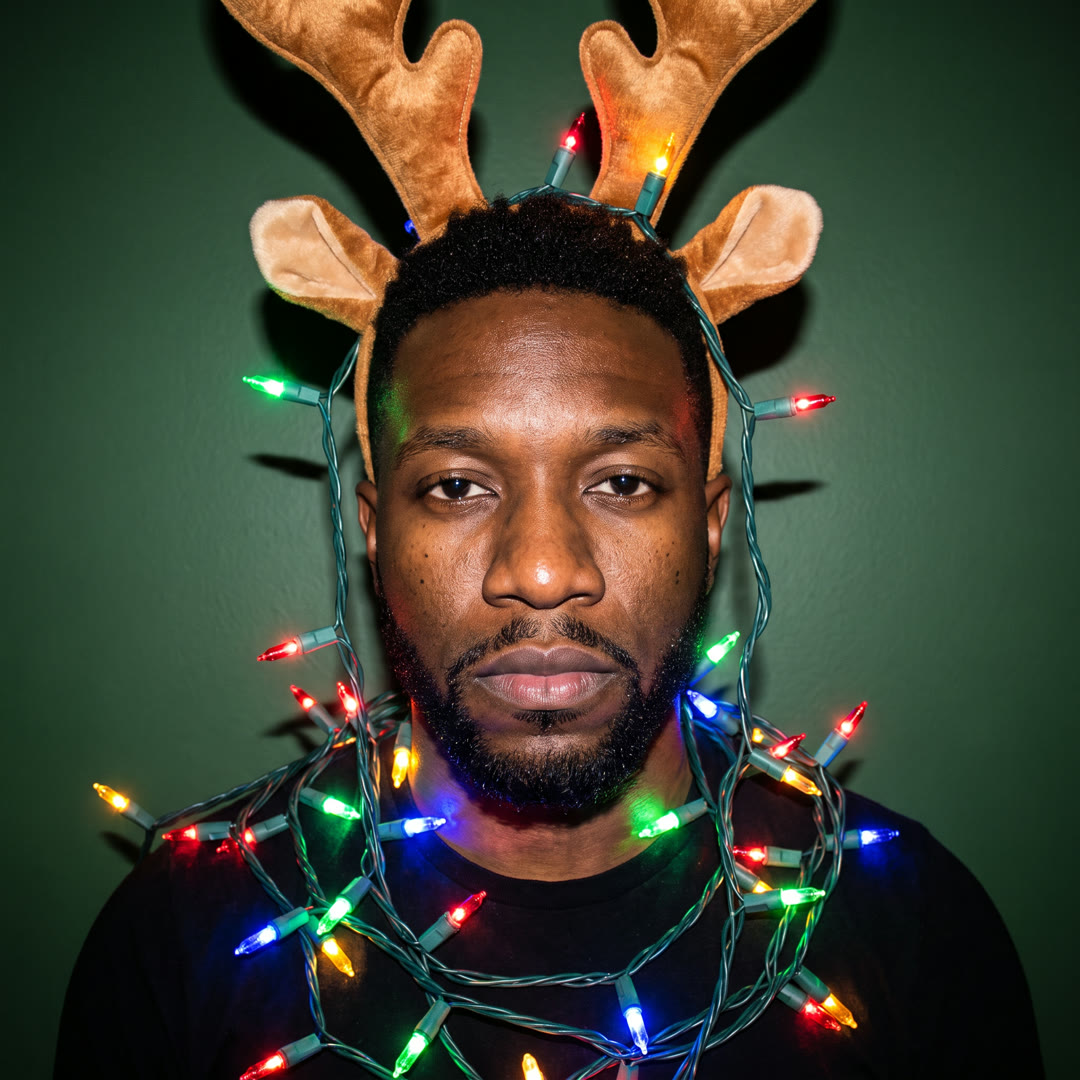 Funny
A selfie at the office
 Their photo
 His pfp
 Her pfp
Matching pfps for a couple
 Cute
 Anime
 Funny
 Matching for friends
No selfie: cute, anime, matching, funny
How to make a Christmas pfp
- 01
Add a selfie
One clear photo with your face visible and lit. A mirror selfie is fine; the model only needs your face.
No selfie you like? Choose the prompt-only model and describe a character instead.
- 02
Pick the look and the style
Start from a preset or write your own: what you wear, what is behind you, and whether it is a photo, anime, flat cartoon or 3D. Keep 1:1 and ask for the face centred.
Details missing in the result? Name them: "same fringe", "same glasses", "same beard".
- 03
Generate, download, set it
Make a few versions, download your favourite and set it as your profile picture. For a matching pair, send your friend theirs.
Head too close to the edge? Ask for "more space around the head" and run it again.
More to make this Christmas
Christmas photos of you
Full scenes: by the tree, in the snow, in pajamas.
Just add a Santa hat
Keep your photo, add the hat.
A Christmas wallpaper
A lock screen to go with the pfp.
A Christmas card
Your photo and names on a card.
Christmas images
Pictures and greetings to send.
A message from Santa
An AI Santa reads a script you write.
Tips for a pfp that works as a circle
- Ask for "face centred" and "head and shoulders": hats and antlers need room at the top.
- Plain or softly blurred backgrounds read best at thumbnail size.
- For matching pfps, use the same background and outfit colour in both prompts and have each person look toward the other.
- For a drawn style, list the features that make you recognisable: fringe, glasses, beard, piercings.
- Ask for "no text": letters are unreadable at pfp size.
- Only use photos of people who are happy to be in them.
What is a Christmas pfp?
A pfp is a profile picture. In December people swap theirs for a Christmas one: themselves in a Santa hat, a cozy aesthetic shot, an anime character in the snow, or a pair of matching pictures shared with a partner or best friend.
Here you make one in Image Studio. With a selfie, Nano Banana Pro Edit keeps your face and changes the rest. With a prompt alone, Nano Banana Pro draws an original character or scene.
FAQ
How do I make a Christmas pfp?
Open Image Studio with Nano Banana Pro Edit, add a selfie and describe the look, such as a Santa hat with fairy lights behind you. Keep the format at 1:1, generate a few versions and download the one you like.
Will it still look like me?
Yes. The edit model uses your selfie as the face reference, so the photo versions look like you and the anime or cartoon versions keep your hair, face shape and details you name. A clear, front-facing selfie gives the closest likeness.
Can I make matching Christmas pfps for a couple or best friends?
Yes, two ways. Upload a photo with both of you and ask for a picture of only one person at a time with the same background, like the couple row on this page. Or prompt a matching pair of characters in one wide image and crop each half.
Can I make an anime or cartoon Christmas pfp of myself?
Yes. Name the style in the prompt: anime, flat cartoon or 3D cartoon. Add "clearly them" and the features to keep. All three examples in the first row came from the same selfie.
Can I make one without a photo?
Yes. Choose Nano Banana Pro and describe it: a cute chibi character, an anime boy in the snow, a cat in a Santa hat. The last gallery row was made that way.
What size should a Christmas profile picture be?
Square, 1:1. Most apps crop a pfp to a circle, so keep the face in the middle with space above the head. 1K is enough for a profile picture; 2K and 4K are there if you also want to print it.
How much does it cost?
Each image is paid in credits: Nano Banana Pro Edit is 30 credits an image at 1K and 2K, Nano Banana Pro is 30. The Standard plan is $24 a month for 2,000 credits, about 66 pfps from a selfie. The price shows before you generate.
Are the people on this page real?
No. Every person here, including the "before" selfies, was generated with AI as an example. Use your own selfie, or photos of people who agree to it.
Related
More to make this Christmas

AI Christmas photos
Turn an everyday photo into AI Christmas photos of yourself, your partner or your parents

Personalized Santa video
Make a personalized Santa video message

AI Christmas card maker
Make a Christmas card with AI: a photo card from your own picture with your greeting and names, an illustrated card, or an animated e-card. Print or share.

AI elf video maker
Elf video maker: put your face and your friends' faces on a dancing Christmas elf video. Pick an elf dance clip, add one photo per dancer, get the video back.

Christmas video maker
Make a short Christmas greeting video with AI

AI Christmas photo prompts
Copy-paste AI Christmas photo prompts for a selfie

AI Christmas image generator
Describe a Christmas image and get it

AI Christmas wallpaper
Make a Christmas wallpaper or background from one sentence

Add a Santa hat to a photo
Add a Santa hat to any photo by describing it, or a Christmas sweater, elf ears, reindeer antlers, snow and fairy lights.

AI Christmas pet portraits
Turn a phone photo of your dog or cat into Christmas pet photos

Santa voice generator
Type a message and hear it in a warm, deep AI Santa voice.

AI Christmas song generator
Make an original Christmas song with AI

AI New Year card maker
Make a New Year card with AI: add your photo and the faces stay, or describe a design. "Happy New Year 2027" and your names are written on the card.

Three Kings video message
Make a Three Kings video message for Día de Reyes