Variations from a spreadsheet
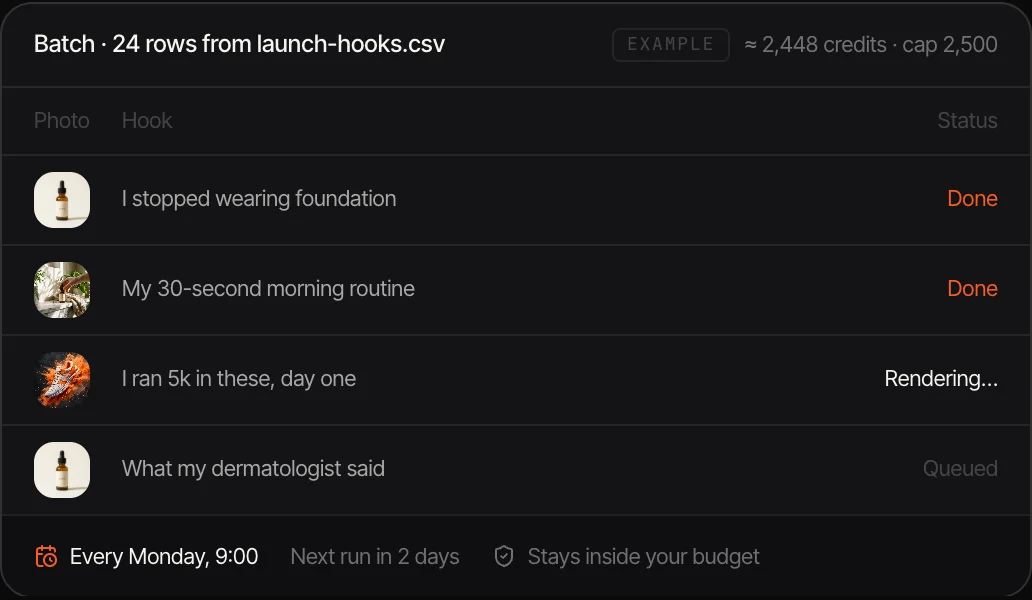
One row per version: product, hook, audience, format. Canvas generates each one.
Creative automation produces the many versions a campaign needs, across products, hooks, formats and markets, from one design instead of by hand. Canvas does it with generative AI. Build the workflow once, feed it a spreadsheet, and it generates each variation with your product, characters and brand kit, then sends the set for approval. Canvas is in private beta: request access in the app.
PRIVATE BETA · REQUEST ACCESS · BUILDING IS FREE · PAY ONLY FOR WHAT YOU GENERATE
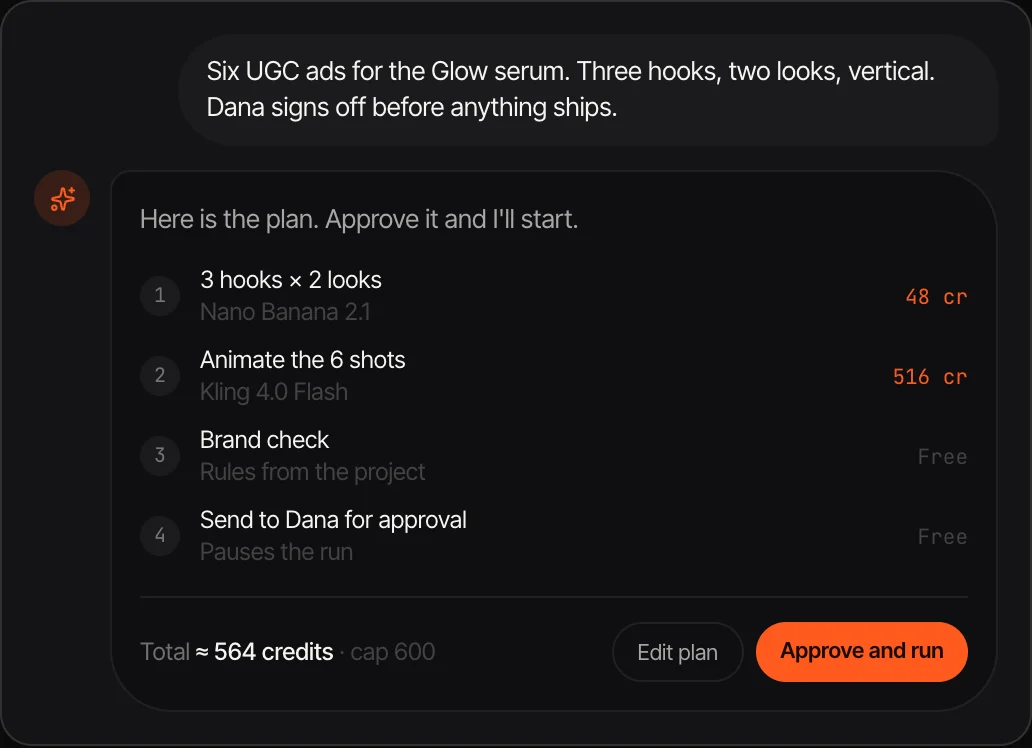
One row per version: product, hook, audience, format. Canvas generates each one.
New scenes, new creators and new video for each version, where template tools swap text and crop.
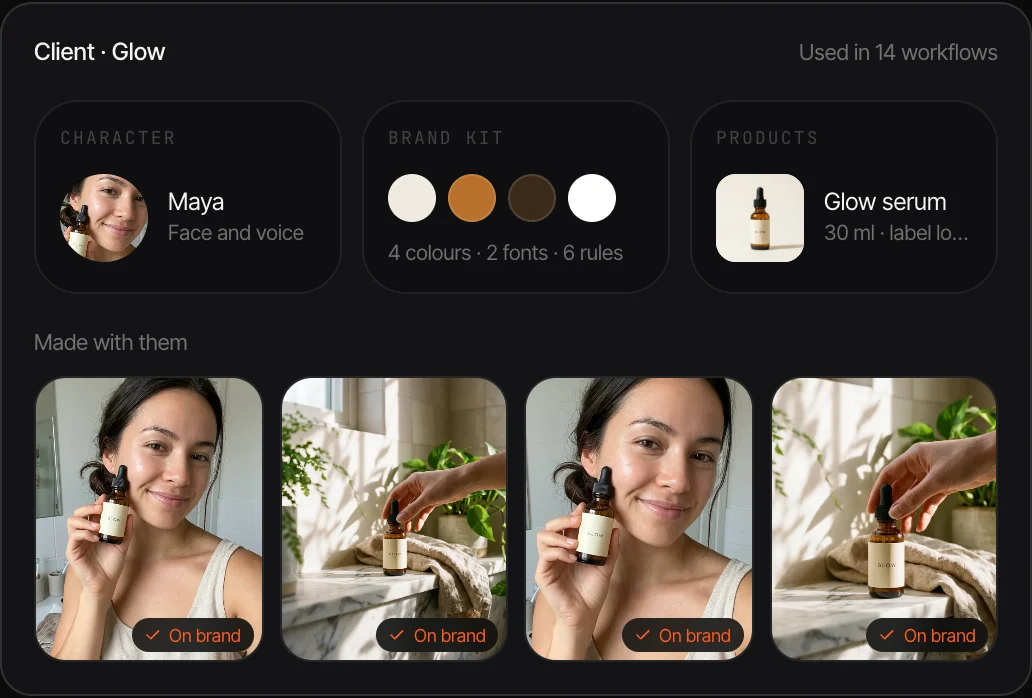
Brand kits, saved characters and products as inputs, and a check step that flags what is off brand.
9:16, 1:1 and 16:9 from the same workflow.
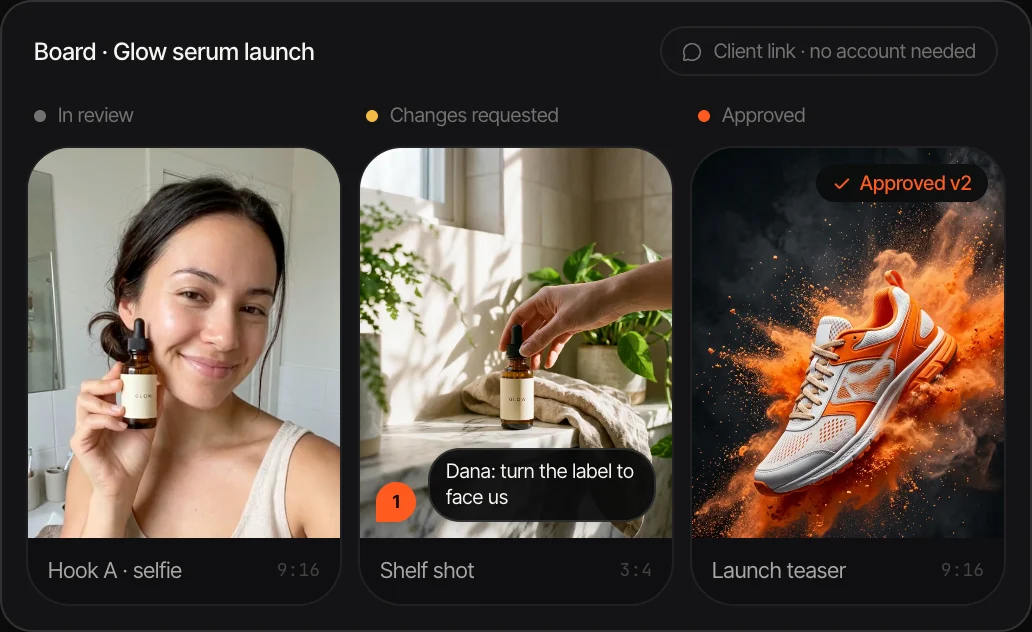
Outputs go to a board where the team and the client comment and approve.
The price of the batch is shown before it runs, with a cap it stays inside.
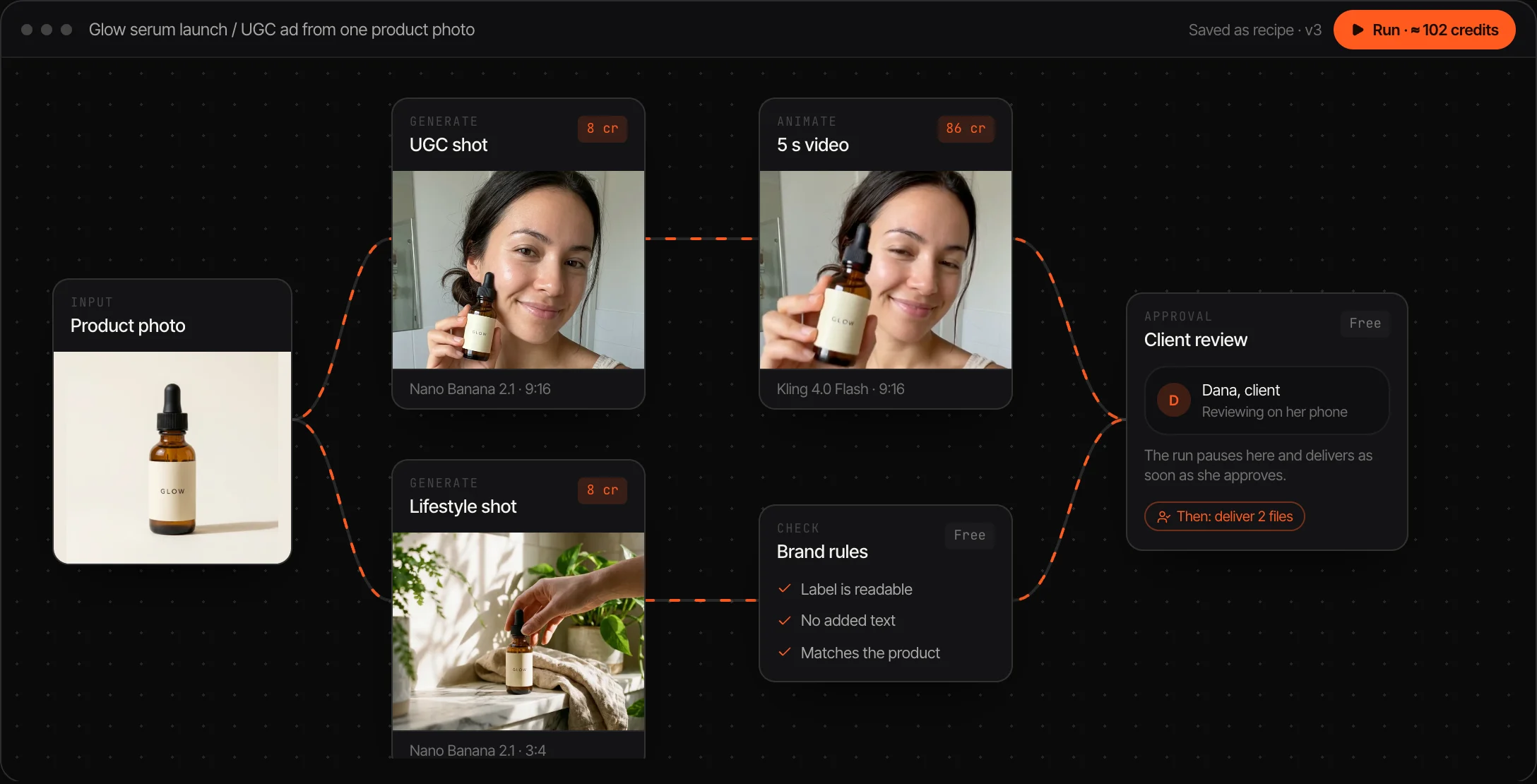
Describe the ad to the agent or wire it yourself: product in, scene, video and formats out.
Upload a CSV or connect a Google Sheet with one row per variation.
Check the batch on the board, request changes, approve and export.
Creative automation is producing advertising and marketing assets at volume from a small number of master designs. A campaign rarely needs one ad. It needs a version for each product, audience, placement and market, refreshed every few weeks as performance drops. Automation produces those versions from data instead of from a designer's hours.
Template-based tools do this by swapping text, images and sizes inside a fixed layout. Generative AI widens what a version can be: a new scene, a different creator holding the product, a video instead of a still. The workflow defines what stays fixed, such as the brand, the product and the person, and what changes per row.
Canvas is Affogato's workflow builder for that job. A workflow chains the models, a spreadsheet supplies the rows, brand assets keep it consistent and a review board handles sign-off. It is in private beta, and agencies and in-house teams can request access from the app.
One ad in many openings to find the one that holds.
The same ad for every product in the range.
A version per market with the right creator and language.
New variations of a winner before it wears out.
A campaign rebuilt for each season from one workflow.
It is in private beta. Request access on the Canvas page in the app and describe the creative you want to automate.
Template tools change text, images and sizes inside a layout. Canvas generates new images and video for each version while holding the brand, product and characters fixed.
Products, characters and a brand kit are saved once and used as inputs, and a check step flags outputs that break the rules. Review small label text before you publish.
A batch runs one output per spreadsheet row. Limits depend on your plan, and the cost of the whole batch is shown before it starts.
Yes. Clients comment and approve from a link, with no account needed.
Request access to Canvas and tell us what you want to automate.
NO WATERMARKS · CREDITS ROLL OVER · COMMERCIAL LICENSE INCLUDED · CANCEL ANYTIME